
 ChatGPT
 Perplexity

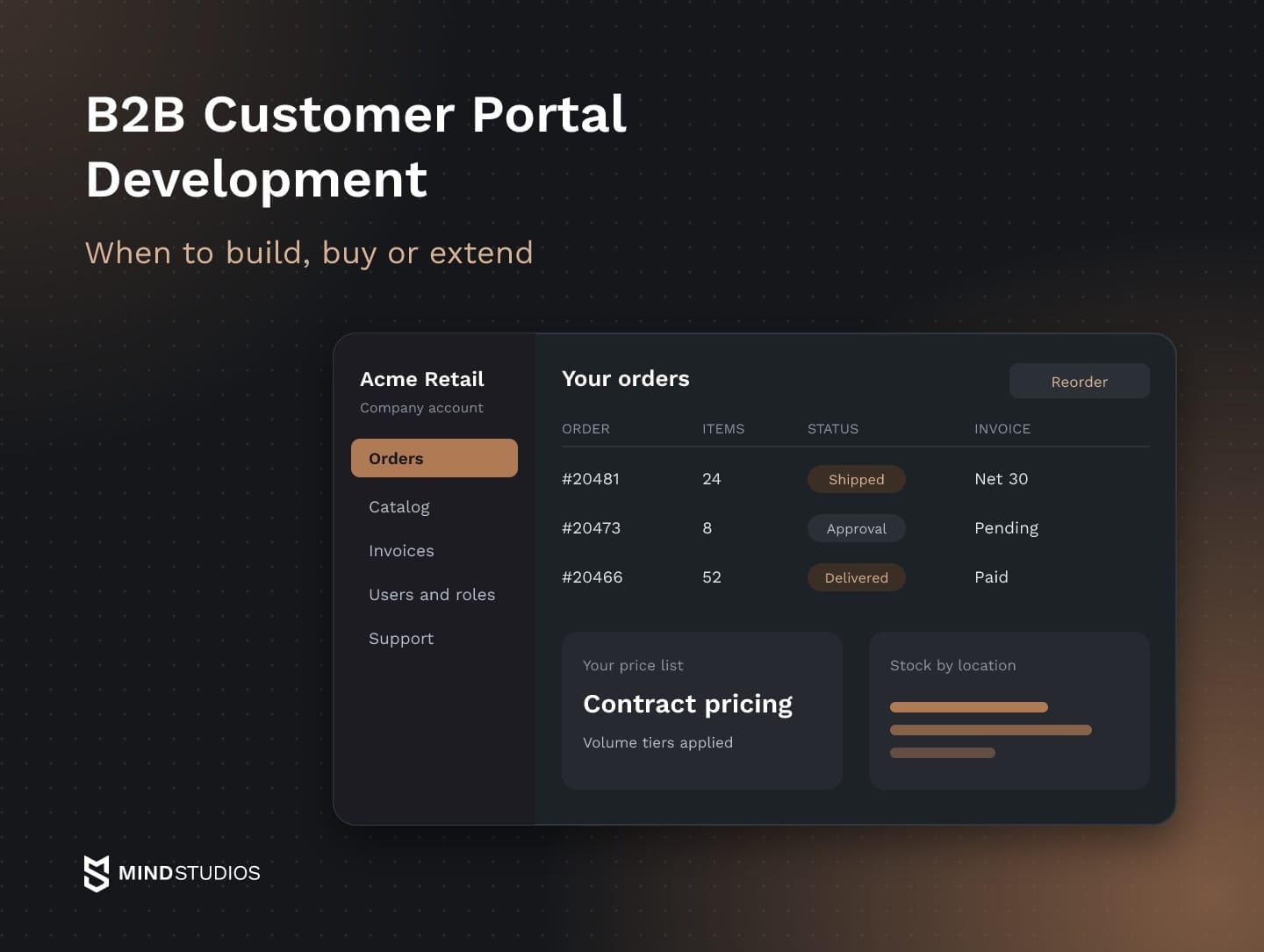
A B2B customer portal lets business customers manage orders and accounts online. This guide covers portal types, buyer features, integrations and the choice between buying, extending and building.
Highlights
- The portal type follows the relationship: buyers, dealers, key accounts or service clients.
- Adoption depends on account pricing, trusted stock data and real user roles.
- Custom development deserves an estimate when pricing or approval logic sets you apart.
A B2B customer portal is the logged-in area of your website. There, each business customer sees its own prices, catalog, stock, orders, invoices and users, and its buyers order without calling a rep. If orders still arrive by phone, email and spreadsheet, the portal is where that repeat work goes as volume grows.
The harder decision is how to get a portal that fits your pricing rules, your ERP and the way your customers buy. At Mind Studios, we built self-service account management for Wise Up on top of a learning platform our client didn't own. We also connected the AnyCurb platform to a regulated real estate data feed.
If you're unsure which portal type your customers would log into every week, that's the first question worth working through with us.
What a B2B customer portal is and how it differs from your website
A B2B customer portal sits behind a login, so every business customer works only with the terms, records and people tied to its own account. Your public site introduces the business, while the portal lets authorized users act on their company's agreed terms.
Behind the screen, the portal is a layer over systems you already run. Your ERP holds prices, stock and invoices, and your CRM holds contacts and account owners. The portal reads each account's terms from them and sends orders back for fulfillment, so it's only as good as those connections.
The table compares the two on the four points buyers notice first.
| Aspect | Public website | B2B customer portal |
|---|---|---|
| Who sees it | Anyone, without a login | Named users of a customer account |
| Prices | List prices or "request a quote" | Contract prices, volume tiers and payment terms for that account |
| Catalog | Your full public range | The products and variants that account is allowed to buy |
| Actions | Read, contact sales, submit a form | Order, reorder, track, download invoices, manage users |
A portal also differs from a B2C store in how many people share one account. One distributor may have buyers in several branches, a manager who approves orders above a limit and an accounts payable clerk who only needs invoices.
Accounts on agreed payment terms also need credit limits and approval chains alongside any card payment. That account structure makes portals harder to build than they look, and it shapes every decision below.
B2B portal examples: four types of customer portals
The portal you need depends on the commercial relationship and on who logs in. That could be a purchasing team reordering stock, a dealer reselling your products, a key account with a negotiated setup or a client of your service business. Each type puts different features first, so naming yours early keeps the scope honest.
The four portal types differ in who logs in and what they need to do.
| Portal type | Who logs in | Main job |
|---|---|---|
| Ordering portal | Buyers and purchasing teams at customer companies | Fast reorders at contract prices, order tracking, invoices |
| Dealer and distributor portal | Dealers, distributors and their staff | Stock checks, territory rules, margin-protected pricing, marketing assets |
| Branded portal for key accounts | Users at one large customer | A dedicated catalog, approvals and reporting for that account |
| Service or client portal | Clients of a service business | Documents, requests, onboarding steps, account status |
If your customers reorder the same stock regularly, a B2B ordering portal is the natural starting point, because repeat orders are the easiest work to move online. Some teams call it a B2B buyer portal, since it's designed around the purchasing team's routine.
A B2B dealer portal adds rules an ordering portal doesn't need. If your dealers work within assigned territories and sell alongside your direct channel, the portal needs to reflect those boundaries and the pricing terms agreed with each dealer. For a service company, client portal development centers on documents, requests and onboarding status.
A B2B sales portal is more a mode than a separate type: your rep works inside the customer's account and builds a cart or quote with the buyer.
Two neighboring portals get mixed up with customer portals. A B2B supplier portal faces the companies you buy from, and vendor portal development covers supplier onboarding, purchase orders and supplier invoices. Partner portals serve integrators and referral partners. All of them can share a foundation of accounts, roles and ERP integration.
If several companies share one portal with their own data and branding (dealers and their customers, for example), that's a tenancy question, which our guide to multi-tenant architecture covers.
Features buyers use and what breaks without them
Buyers come back to a B2B customer portal mostly when it handles their daily work faster than a phone call. Seven features carry that work. For each one below, you'll find what breaks without it and a quick test for a demo or pilot.
Account pricing and catalogs
Each account should see its contract prices, volume tiers and only the products it may buy. When the portal shows list prices instead, the buyer calls to confirm the real number and a rep keys the order by hand. The quick test is logging in as two accounts and comparing one product.
Available stock by location
If your customers plan deliveries around which warehouse can ship, they need stock by location and an expected restock date. A single global number sends them back to the phone. In a demo, ask how often stock refreshes from the ERP and what the screen shows when data is stale.
Search and filters for a technical catalog
With a technical catalog, buyers search by part number, dimension, material or a competitor code printed on an old part. If search ignores technical attributes, buyers can select an incompatible part, which creates extra work for returns and replacements. Ten real part numbers taken from customer emails make a fair test.
Ordering, reordering and order status
If customers regularly reorder the same products, order history gives them a starting point for the next purchase. Quick order by SKU and CSV upload cover the rest, so nobody retypes last month's PDF. Order status should update from fulfillment automatically, which is easy to check in a pilot.
Invoices and payment on terms
Finance teams at your customers look for open invoices, statements, their credit limit and a way to pay online or on terms. When buyers can't retrieve invoices or check balances themselves, your team handles those requests by email or phone.
If your finance team uses the ERP to release orders against available credit, the demo should show when payment status reaches the ERP and how pending payments appear.
Roles, approvals and multiple users
One customer account holds many people: buyers who build carts, managers who approve spend over a limit and admins who invite colleagues. Without roles, the customer shares a login and nobody can tell who ordered what. A good test is whether a customer admin can set an approval rule unaided.
Shared view for your sales reps
Reps need to see what their accounts see, place orders on a customer's behalf and pick up an abandoned cart. If they can't, they keep working from email, and the portal turns into a parallel channel. In a pilot, confirm the rep and the buyer see the same cart.
What self-service ordering changes for the business
A B2B ordering portal moves routine work out of calls and inboxes: order status questions, invoice copies and repeat orders. Reps get that time back for accounts that need a conversation, and buyers can place a standard order outside office hours.
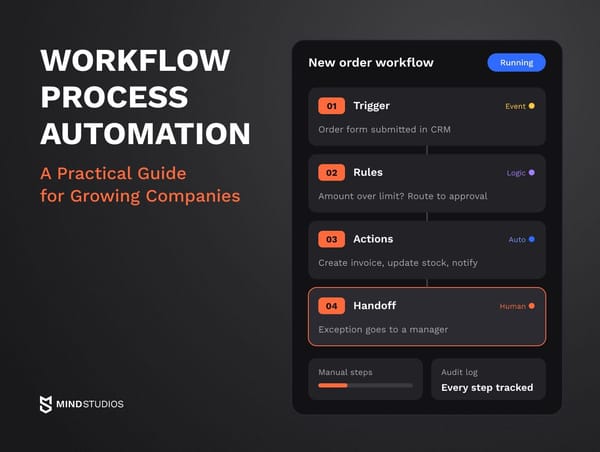
Approvals and requests that still travel by email inside your company are where workflow process automation picks up once the portal handles the customer side.
Deloitte Digital's 2026 B2B commerce report draws on a survey, conducted in August and September 2025, of 530 suppliers and 530 buyers at US companies with at least $100 million in revenue and 1,000 employees.
The figures are respondents' estimates about the buying experience as a whole, so they don't measure what a portal changes by itself:
- Automation gap: 72% of suppliers say their sales processes are mostly or highly automated, while 47% of buyers say the same about purchasing.
- Buying difficulty: Buyers are three times more likely than suppliers to describe doing business with a supplier as difficult.
- Supplier estimates: Suppliers estimate they lose 13% of sales bids to a poor buying experience and link a good experience to a 36% revenue uplift.
- Buyer spending: Buyers report spending 29% more with suppliers that give them a good experience.
For a supplier, the gap means a process you consider automated may still feel manual to the people ordering through it. So portal success measures track what buyers do.
These are our working definitions, which we adapt to each client; compare each with a pre-launch baseline for the same account segment:
- Online order share: portal orders divided by all orders from invited accounts, per month and by segment.
- Routine contacts per 100 orders: status, invoice and price questions per 100 orders, so the measure doesn't move with order volume.
- Order error rate: order lines corrected or returned for a wrong item or price, divided by all order lines, for portal orders versus manually keyed ones.
- Active account rate: invited accounts with at least one portal order in the last 90 days, divided by all invited accounts, with smaller accounts tracked separately.
If these measures stay flat after launch, the adoption problems later in this guide are the first place to look.
Build vs buy: when a custom customer portal makes sense
A B2B commerce platform is the faster route when your prices, roles and processes fit its model. Custom development deserves an estimate when your pricing, approval or service logic is your competitive edge, your ERP is old or homegrown, or per-user licenses would grow with each customer team you invite. Those signals call for a calculation before any decision.
If your ordering follows a platform's defaults, buying is the sensible choice.
Three ways to get a portal
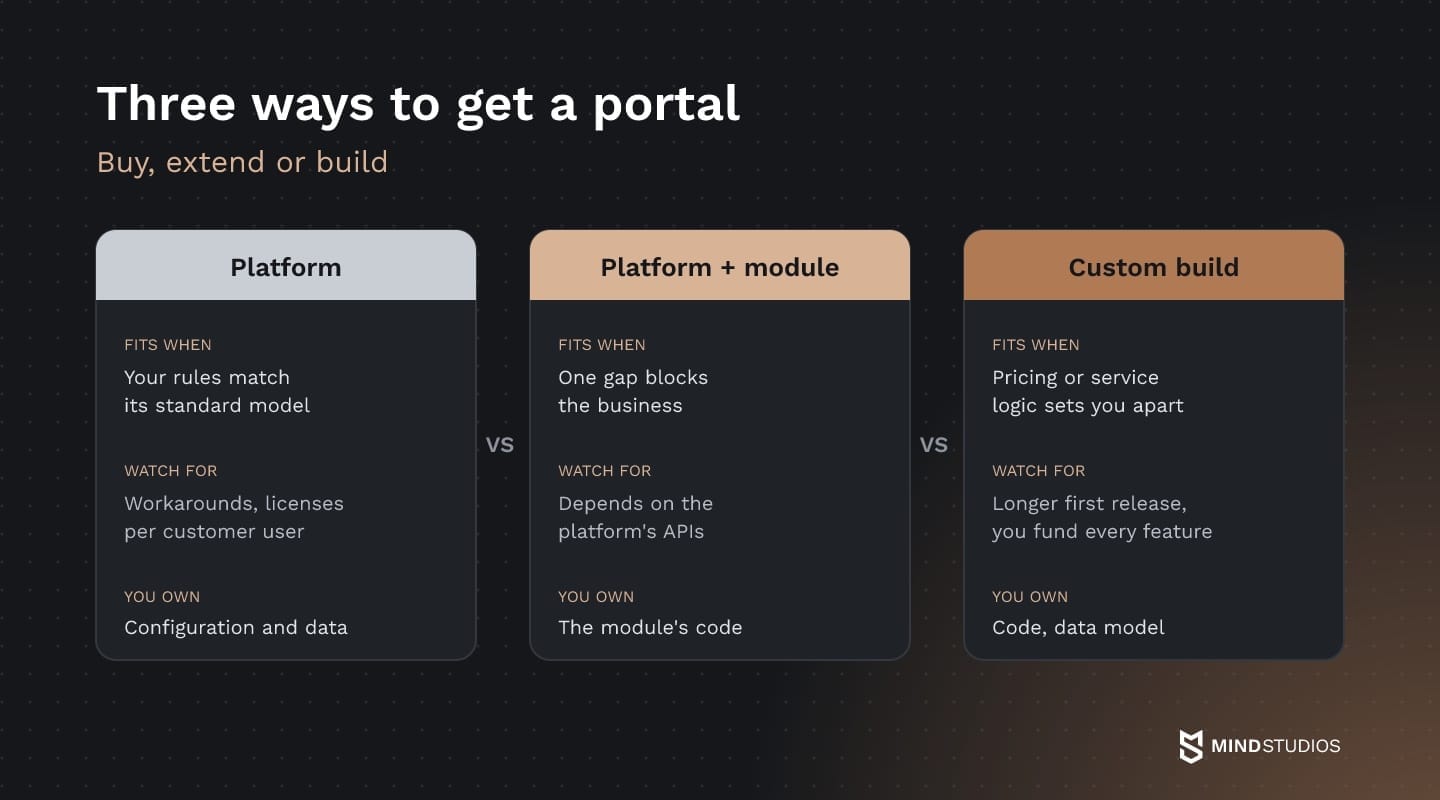
The table compares where each path fits and what limits it introduces.
| Path | Fits best when | Main limits |
|---|---|---|
| Platform | Pricing, roles and catalog match the platform's standard model | Nonstandard-rule workarounds; licenses may scale with customer users; vendor-set roadmap |
| Platform plus custom module | The platform covers most needs, but one gap blocks the business | The module depends on the platform's APIs and upgrade cycle |
| Custom development | Pricing, approvals or service logic set you apart | A longer first release; you fund every feature |
The paths also differ in what you own and who maintains the system:
- Platform: your configuration and data under the vendor's terms; the vendor maintains the core.
- Platform plus custom module: the module's code and data, as your contract defines; the platform stays licensed.
- Custom development: code, data model and integrations, as your contract defines; your team or partner maintains them.
The cost section then applies one cost model to all three options.
Checks that decide the path
B2B customer portal development starts with one question: Which parts of your process are standard, and which carry your margin? Six checks help answer it, and they work best when you put the same ones to every option:
- Catalogs and brands: Can it run separate catalogs, prices and brands for different customer groups from one product database?
- Pricing and approvals: Which of your pricing and approval rules are built into its core, and which need scripts or manual overrides?
- ERP integration: Does it connect to your ERP as it is, including a heavily customized or homegrown one?
- ERP replacement: What stays intact if you replace your ERP: product and customer IDs, order history, the integration layer?
- User licenses: How do license fees change as customers add buyers?
- Service workflows: Can it run processes beyond ordering, such as service requests, warranty claims or project documents?
When an answer points to scripts, workarounds or rising fees, a custom estimate belongs next to the platform quote.
Take a building supplies distributor with one portal for contractors and a branded one for a national chain. If a platform serves both storefronts from one catalog and covers the chain's approvals but can't express project-based pricing per job site, that single gap points to an extension: a pricing module the platform calls.
Custom web portal development becomes the stronger candidate when several checks fail at once, because the rules that win you business would otherwise sit in workarounds someone rechecks after every upgrade.
For service businesses, a custom client portal is worth costing when onboarding, documents and requests follow your own workflow and packaged tools assume a standard sequence.
Wise Up: self-service added as a module
Wise Up shows how a custom module can extend an existing platform. WKO, the Austrian Chamber of Commerce, ran its learning platform on the EdCast LMS and needed account management and invoicing on top of it for corporate customers. We built an Account Management Module as a layer over the LMS.
The module has two admin panels. In the first, company representatives invite employees, assign roles and move licenses between employees inside their account. WKO staff use the second to handle their side of sales, billing and support. Access in both panels runs on three roles: owner, administrator and manager.
We designed 67 wireframes and 110 screens, and the full design set was ready for development. The first version was ready three months after the project started, adding account management without replacing the LMS.
If you plan a similar extension, the first design decision is which responsibilities stay in the platform and which belong in the custom module.
Dmytro Dobrytskyi, CEO at Mind Studios, explains how to find where that boundary should sit:
List the changes you expect to make in the first year: a new customer type, an extra approval step, a new integration. Then sort them into what your team can change in settings and what needs a developer and another round of testing. If the changes that set you apart need developers on every path, give that logic its own module with a clear boundary, so the platform underneath can update without touching it.
If you're weighing a platform quote against a custom estimate, the deciding test is how each handles your hardest pricing and integration cases.
B2B portal development process: how to build a customer portal
Customer portal development starts with a map of how an order moves today, from the first request to the paid invoice. If you're working out how to build a web portal for business customers, that map shows which steps buyers can take on their own and which still need a person.
The six steps apply whether you extend a platform or build from scratch. In our custom software development projects, we adapt them to the client's systems and rollout constraints.
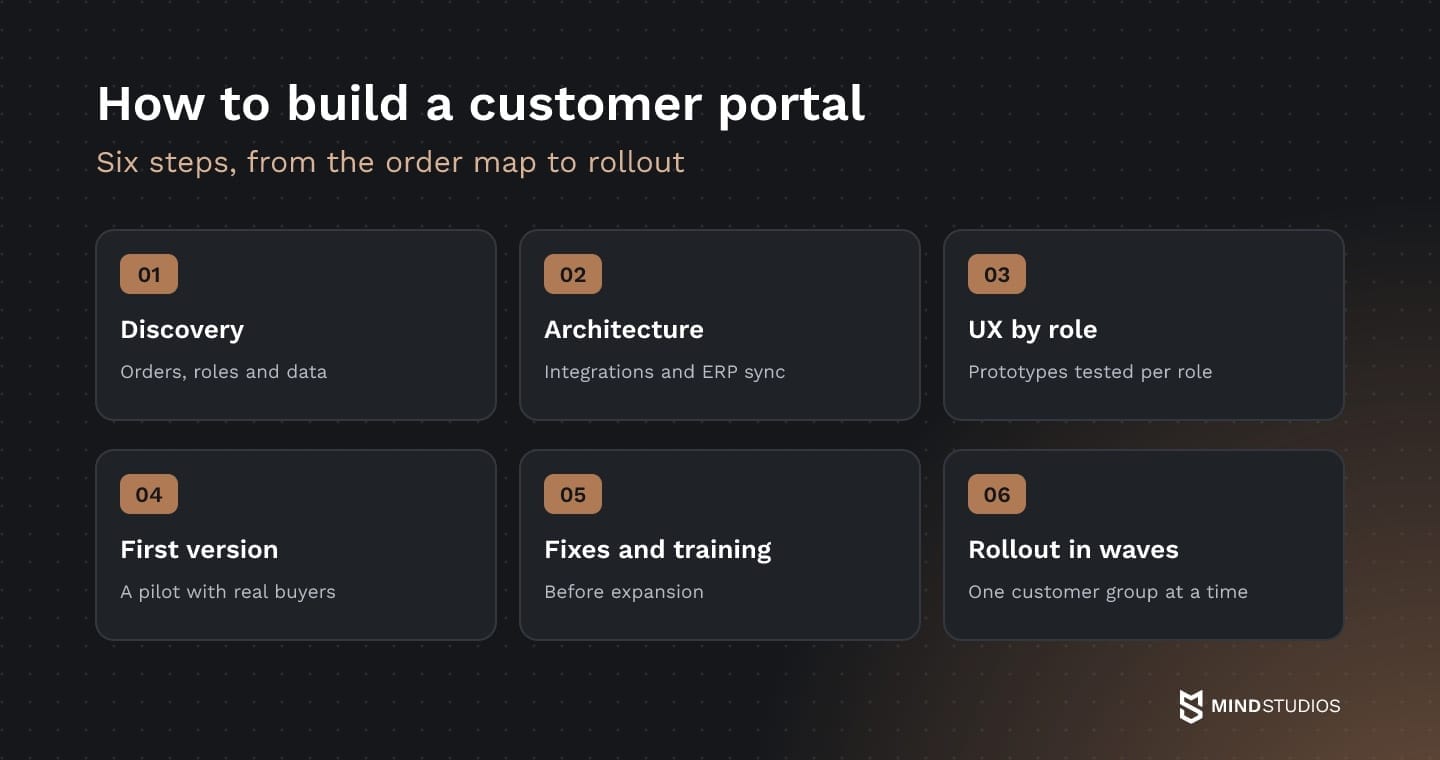
1. Discovery: orders, roles and data
Discovery follows real orders across sales, service and finance to find the manual handoffs, exceptions and data sources the first release must support. The step ends with a process map, a list of roles and the scope of the first version.
Mind Studios' recommendation: Invite at least one customer's buyer into discovery. Your sales team describes how ordering is meant to work, and the buyer describes the calls they make when it doesn't. Scope the first version from the buyer's list, because those calls are what the portal has to replace.
2. Architecture and integrations
Here the team decides which ERP data the portal reads live and which it syncs on a schedule, and what the portal does when the ERP is down, such as queuing orders or switching to read-only.
This is where web portal development choices become expensive to reverse, and our guide to scalable software architecture covers designing for a growing number of accounts. The step produces an integration map and agreed rules for each failure case.
3. UX by role
The buyer, the approver, the accounts payable clerk and your sales rep each get their own flow, tested with people who do that job. A buyer reordering a long list needs a different screen than a manager approving one order a week, and the step ends with prototypes each role has tested.
4. First version and pilot
The first release serves one customer type, for example repeat buyers of your core product line. The pilot starts once the critical order, access and sync scenarios pass testing and the reps for the pilot accounts know the portal. A small group of accounts then places real orders, which shows where prices, stock or roles don't match reality.
5. Fixes, testing and training before expansion
Pilot findings get fixed first. Then a full test pass covers orders end to end, each role's permissions, ERP sync in both directions and every notification.
The remaining reps are trained before more customers are invited, because they decide whether buyers get sent to the portal or keep calling. The step ends with signed-off tests and a rollout plan agreed with sales.
6. Rollout in waves
Accounts join according to that plan, starting with those who order most often, while the team tracks the measures defined earlier. As each group starts ordering, adoption data shows which customer type or feature to add next. The result is customer groups ordering through the portal and a backlog tied to observed needs.
Integrations that keep portal data right
A portal is only as useful as the prices, stock and order statuses it pulls from your ERP, CRM, PIM and accounting system. For each type of data, agree before development on which system holds the truth, how it syncs and what the portal shows when the sync fails.
The table gives examples of fallback behavior to agree on.
| Data | Source of truth | Example fallback |
|---|---|---|
| Contract prices and terms | ERP (SAP, NetSuite or Microsoft Dynamics, for example) | Show last confirmed price; hold orders pending recheck |
| Stock by location | ERP or warehouse system | Show the last update time and mark items "confirm availability" |
| Product data and specs | PIM or ERP | Serve the cached catalog; hold new items until sync resumes |
| Accounts, contacts and owners | CRM | Keep existing users active; queue new invitations |
| Order status | ERP or fulfillment system | Keep the last status and flag the order "update pending" |
| Invoices and payments | ERP or accounting system | Show invoices up to the last sync; pause online payment for affected invoices |
For contract prices, the last confirmed price appears with a notice, and held orders get a recheck of price, stock and credit before confirming. The right choice depends on your ERP and how long your customers can wait for confirmation.
Live data, scheduled data and identity
Prices, stock and credit limits call for live reads or sync within minutes, because buyers act on them right away, while catalog content and order history can sync on a schedule. Account ownership and contact roles are where the portal meets your CRM, which our guide to custom CRM development covers.
For large customers, enterprise portal development typically includes single sign-on and roles mapped from the customer's own directory. Even so, SSO alone doesn't end sessions the portal has issued: Microsoft's revocation guidance notes that an application must revoke its own session tokens.
So the requirements should state when access ends after a user is disabled in the customer's directory, what happens to open sessions and who is notified when a deprovisioning step fails.
Mind Studios' insight: For AnyCurb, a US real estate platform, we connected MLS listings, a regulated source whose rules govern how and when the data syncs, while agents could add off-market properties to the platform. AWS stores and distributes the data, and the platform, which started with two states, now works with data from any state. If your portal depends on an external regulated feed, design the sync around that feed's rules from day one.
Security and access
Security follows the same account logic: roles and permissions for each user, encryption in transit and at rest, and audit logs of who changed prices or approved orders.
Access rules deserve the most testing. Broken access control, where users act beyond their permissions or open another account's records, ranks first in OWASP's 2025 ranking, and OWASP reports it as widespread among the applications it tested. For a portal, that means test cases for every role and for attempts to reach another customer's prices or orders.
Mind Studios is ISO 27001 certified. Customers in regulated industries or regions may add requirements of their own, and those belong in the discovery scope.
Web portal development cost: roles, pricing rules and integrations
A portal's budget depends on six factors: the number of customer types and roles, the complexity of your pricing logic, the number and state of integrations, the catalog and data to migrate, the approval workflows and the plan after launch.
General drivers such as team composition and engagement model are covered in our guide to software development costs.
Here is how the six portal factors add work:
- Customer types and roles: each type (buyer, dealer, key account) and each role inside an account adds flows, permissions and test cases.
- Pricing logic: contract prices, volume tiers, promotions, currencies and payment terms each need rules and testing against ERP data.
- Integrations: the number of systems (ERP, CRM, PIM, accounting, shipping) and how open they are; an ERP without an API needs an extra integration layer.
- Catalog and data migration: products, spec attributes, order history and customer accounts to move and clean.
- Approvals and workflows: spending limits, multistep approvals and service requests.
- Post-launch plan: support, monitoring and new customer types or features.
One total cost model for all three paths
To compare a platform, an extension and a custom build, we use a working total cost model that we adapt to each project's scope and planning horizon. It runs over one period (three years, for example) with the same assumptions about account growth and support, and it separates upfront costs from the costs of running and changing the portal.
Upfront costs cover license or development, implementation, integrations and data migration. Running costs for the period cover license fees and charges for additional customer users and modules, infrastructure, support, updates and enhancements, plus your own team's time.
Total cost of ownership is the sum of the two, and running costs can change the decision: platform charges can grow with customer users and modules, while custom costs grow with the changes you make after launch.
Why customer portals go unused
A B2B customer portal goes unused when calling a rep still feels faster or safer than logging in. Once the features work, the remaining causes are organizational: lost rep commission, missing onboarding, unowned data and old channels that answer as before.
Each red flag comes with a fix:
- Reps who lose out. If online orders don't count toward commission, reps keep taking orders by phone. Crediting portal orders to the account owner weakens that reason.
- One announcement, no onboarding. Customers hear about the portal once and forget it. Inviting accounts in waves, with a short session for each customer admin, helps get the first orders placed.
- No owner for portal data. When nobody answers for prices, stock notices and new users, errors linger and buyers stop trusting the screen. Naming an owner for each data type before launch keeps fixes fast.
- Old channels that answer as before. If a status call gets the usual answer, buyers have no reason to log in. A reply that walks the buyer to the order in the portal builds the habit.
Mind Studios' recommendation: For the first months after launch, ask reps to tag every phone or email order from an invited account with a reason: price missing, stock unclear, approval stuck or habit. The tags show which fix will move the most orders online.
Where to start with B2B customer portal development
The phone calls and email orders from the start of this guide are your best starting material. Map how one order travels today, pick the customer type with the most repeat orders and define what that group should be able to do without calling you.
Then put a platform, an extension and a custom build against that scope with one cost model. The next customer types follow once that group orders online by habit.
If you'd like a second view of your order process before choosing a path, that order map is where we'd start with you.
FAQ
Should a B2B customer portal replace phone and email ordering?
It works best as the default for routine work, with the other channels kept for what needs a conversation. The portal takes repeat orders, status checks and invoice requests, while phone and email stay for complex deals, new projects and problems.
Is a B2B portal the same as a B2B ecommerce store or a marketplace?
They overlap. A B2B ecommerce store sells your products online, sometimes to new buyers without an account. A B2B portal centers on existing customers and their accounts: terms, users, orders, invoices and service. A marketplace connects many sellers with many buyers. A store and a portal can share one platform and one catalog.
What should you ask a portal platform vendor before signing?
Ask these before you commit:
- How do we export all our data?
- What API limits apply to ERP sync?
- How do fees change as customers add users?
- Which customizations survive platform upgrades?
- What does exit involve, and how long do we keep data access?
What is a client portal, and is it the same as a customer portal?
The difference is mostly vocabulary. Service businesses such as agencies, accounting firms and logistics providers tend to say "client," while product companies say "customer." For scoping, the label matters less than what users do after logging in: ordering features lead when users buy, and account status and communication lead when users follow an ongoing engagement.
Who should own the customer portal after launch?
Ownership fits the commercial side, sales or customer service, because it controls prices, account setup and customer invitations. IT owns integrations, security and uptime. Write down who approves price changes, who invites new accounts and who responds when data looks wrong, since unassigned tasks like these are where friction starts.
Do business customers need a mobile app, or is a web portal enough?
A responsive web portal covers ordering when buyers work from an office computer and order in batches. A mobile app becomes worth it when field users need the portal: technicians, reps on site visits or dealers scanning stock. Our web vs mobile comparison walks through the trade-offs, including PWAs.
Can a B2B customer portal survive an ERP replacement?
It can, if the new ERP can supply the data the portal needs. These parts make the switch manageable:
- An integration layer, so most changes stay in the connectors.
- Portal-owned product and customer IDs mapped to ERP codes.
- A tested plan for migrating prices, history and open orders, with one ERP as the source of truth during reconciliation.