
 ChatGPT
 Perplexity

A missing subscription can make a system replacement feel broken from the first login. This guide shows how to run legacy data migration so the records your business needs arrive intact and verified.
Highlights
- Decide what to move, archive or retire before you map a single field.
- Match the migration approach to downtime tolerance and the consequences of failure.
- Prove completeness with layered reconciliation and keep a rollback path past cutover.
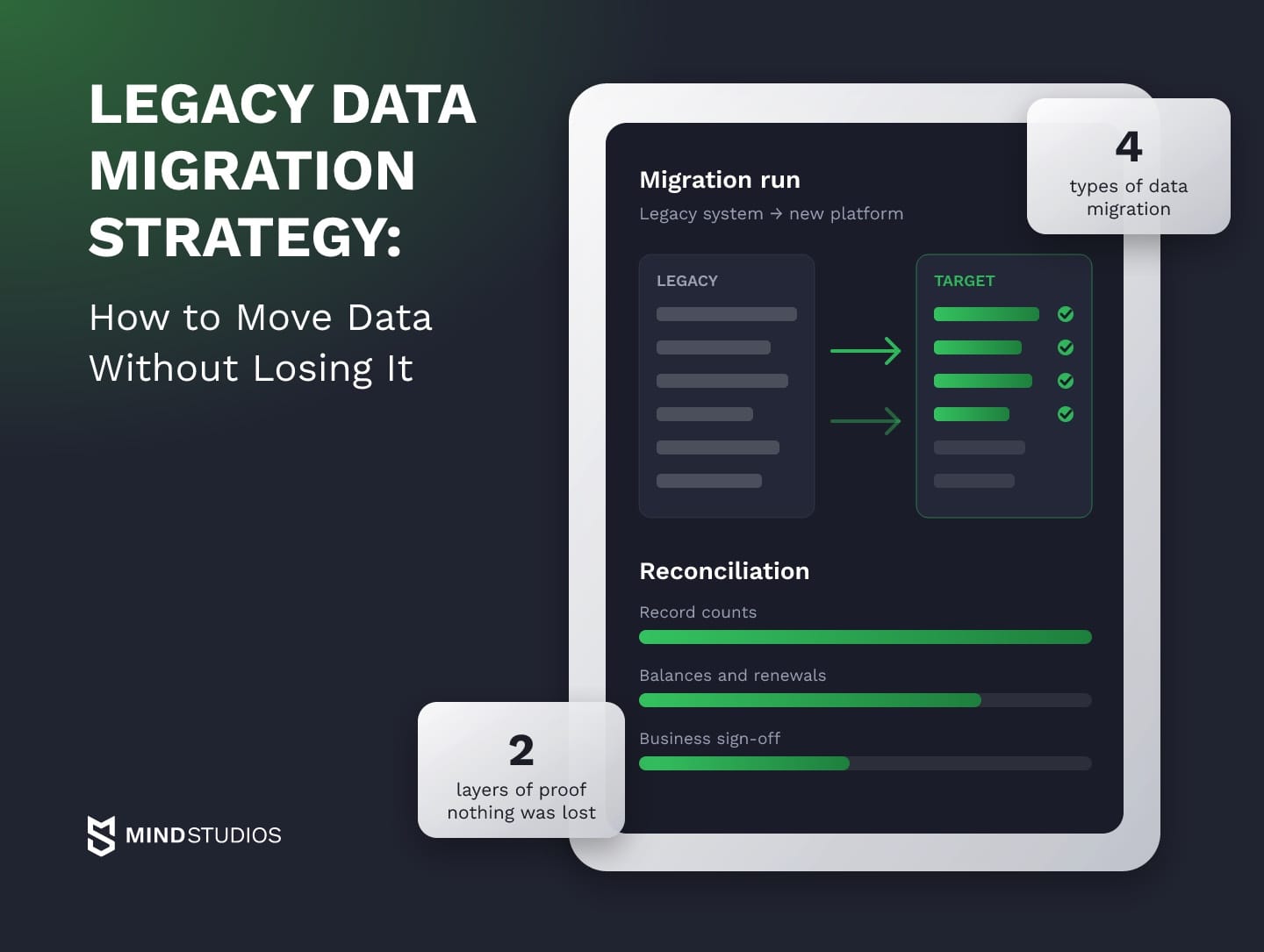
Legacy data migration is the process of moving records, their relationships and their history from an outdated system into a new one while keeping the data complete, consistent and meaningful to the business. It covers accounts, transactions and subscription statuses. Moving servers to the cloud is separate work.
A legacy data migration strategy decides which data makes the trip, which methodology carries it, how you prove nothing was lost and how you get back if cutover fails.
This guide draws on our work on the MP3Pool DJ platform and the Envol wellness app, where users kept their subscriptions and data through a rebuild.
We can profile your source system and show which records are ready to move and which need cleanup first.
What makes legacy data migration harder than a regular data move
Legacy data is harder to move because the system around it no longer explains itself. That means the estimate has to cover work a well-documented source would never need:
- Undocumented schemas. A
statuscolumn may have changed meaning across releases and kept its name. - Logic outside the data. Proration, discounts or eligibility often live in stored procedures or code, so a migrated value stays correct only if its rule moves with it.
- Quality debt. Duplicates, orphaned rows, free-text dates and fields the old UI never enforced travel with the data.
- Knowledge held by a few people. One or two people remember that a block of customer IDs came from an acquisition import.
- Obsolete formats. Legacy encodings, proprietary file stores and flat-file exports need conversion first.
When no one can describe the whole system, the migration starts with an audit. A structured software audit maps schemas, dependencies and the people who hold the knowledge, which makes the later estimate trustworthy.
Mind Studios' insight: Talk to the support team before you profile the database. They know which fields users rely on and which features were abandoned, and that narrows the mapping scope.
Four types of data migration
Most migration work falls into four types, and a legacy replacement usually combines database and application work:
- Storage: moving files and objects between storage systems.
- Database: moving tables to a new engine or version, such as SQL Server to PostgreSQL.
- Application: moving data into an application with a different data model, where most mapping and transformation sits.
- Cloud: moving workloads and their data to a cloud provider, which our guide to enterprise cloud migration covers.
What to move, archive or retire
A legacy system data migration starts with one decision: which data the new system still needs to run the business. Active records move, history that the law or the business must keep goes to a read-only archive, and data that no process uses retires with the old system.
The question usually arrives with a trigger such as vendor support ending, a frozen stack, a single point of failure or volume the old engine can't handle; whether to rebuild at all is covered in our guide to legacy modernization strategies.
The table sorts typical categories by decision, with reasoning a data owner can sign off on:
| Data category | Decision | Reason |
|---|---|---|
| Active customers, accounts, open orders, live subscriptions | Move | Needed from the first minute after cutover |
| Closed transactions within the retention period | Move or archive | Move for user/support lookups; archive for audit-only access |
| Records past their retention period | Retire under legal's deletion rules | Mapping work and privacy exposure |
| Unused tables, abandoned features, test data | Retire | No owner names a process that reads them |
| Duplicates and orphaned records | Merge or fix before the move | Multiply in the target, break reconciliation totals |
For a founder, this table is a cost lever. Each retired category is one less set of fields to map, test and reconcile, so in a legacy data migration a smaller agreed scope removes work before the transfer starts. Retention rules differ by jurisdiction, so legal signs off on archive and retire decisions.
Big bang, phased or parallel run: choosing the methodology
Your data migration methodology fixes two things on cutover day: how much downtime the business absorbs and how costly a mistake becomes. The three common data migration strategies trade one against the other, so the choice starts from the outage your business accepts and the data that can't afford an error.
Big bang moves everything in one window, phased moves data in slices, and a parallel run keeps both systems running until the new one proves itself:
| Approach | When it fits | Main risk |
|---|---|---|
| Big bang | Moderate volume, few integrations, an accepted maintenance window | Every error surfaces at once, after source writes stop |
| Phased | Data splits cleanly by module, region or customer segment | Two systems must stay consistent for a while |
| Parallel run | Subscriptions, payments and other revenue-critical data | Extra effort: sync logic, double operations, live reconciliation |
Big bang takes one planned outage, phased takes a short window per slice, and a parallel run needs only a short final pause once each domain has one system of record and sync has caught up.
AWS's cutover guidance notes that locking the source to keep data consistent may require a larger downtime window, so the final pause gets timed in rehearsal.
Mind Studios' recommendation: Pick the methodology per data domain. Catalogs, reference tables and archives can move big bang while subscriptions and payments run in parallel, which keeps sync logic limited to the data that justifies it.
Lift-and-shift or transform on the way
The second choice is how much the data changes in transit. Lift-and-shift copies records as they are, which is fast and easy to verify but brings the old model and its quality problems along. Transformation reshapes data for the new application at the cost of mapping and testing effort.
ELT combines the two: raw data lands in a staging area in the target and is transformed there, so the original copy stays available as a reference.
What the choice means for revenue
For the founder, the trade-off is downtime against engineering effort. When the source can stop accepting writes for the whole transfer window, big bang avoids a sync layer and keeps the build smaller. A failed window, though, reaches every customer at once, and for a product with daily renewals that means failed charges and a growing support queue.
A parallel run costs more, but the new system can run on synced data in a verification mode, or serve a share of real users, so most problems surface before customers feel them.
How to build a data migration plan
A data migration plan is the document your team agrees on before the first record moves: what is in scope, how each field maps, who owns each data domain, what counts as success and what triggers a rollback. It turns a data migration project into a sequence of decisions, each with a name attached.
These are the sections a working plan needs, with their owners:
| Plan section | What it defines | Owner |
|---|---|---|
| Scope and source inventory | Every system, table, file store and integration, with volumes | Tech lead |
| Field mapping | Source and target field, transformation rule, default for missing values | Data engineer with the domain owner |
| Data owners | Business owner per domain (customers, billing, catalog) ruling on exceptions | Appointed by the business sponsor |
| Acceptance criteria | Reconciliation thresholds per data object, zero tolerance to documented exceptions | Domain owners |
| Cutover window | Date, duration, write-freeze rules, on-call roster | CTO or release owner |
| Rollback triggers | Thresholds and errors that send traffic back; fix-forward alternative | CTO |
| Communication | What users, support and partners hear around the switch | Product owner |
In a legacy data migration, the plan also names a lead per phase: the tech lead and domain owners for planning, data engineers for build and rehearsal, the CTO or a delegated release owner for cutover, and engineering with support for hypercare.
One row per data object
The plan becomes usable when each data object gets one row, from source state to decision on mismatch. This is our working format with clients, adapted to each system, and it gives the release owner agreed criteria for resolving discrepancies during cutover.
An active subscription makes the format concrete, because its ownership, access rights and renewal date must stay consistent through the move:
- Source state: status
activeorpast_duein the old billing table, linked to a user ID and a legacy plan code. - Transfer rule: map the legacy plan code to the new catalog and attach the subscription to the same migrated user.
- Expected result: the user keeps access to that plan's paid features, and the next renewal date is unchanged.
- Check: count and monthly recurring value per plan, plus a per-record match of user, plan and renewal date, because totals can agree while subscriptions sit on the wrong accounts.
- Allowed exception: none for active records. Past-due records with an expired payment method may move with a flag the billing owner has approved.
- Owner: the head of billing.
- Decision on mismatch: an unexplained difference blocks cutover, while a flagged exception is logged and goes ahead.
The migration process step by step
The data migration process runs in eight steps, from profiling the source to switching off the old system, and each step produces evidence the next one depends on.
Data migration from legacy systems puts extra weight on the first three steps, because profiling and cleanup have to stand in for documentation the old system never had.
- Discover and profile the source. Profile every table in scope (row counts, null rates, distinct values, key uniqueness, date ranges) and assign each quality issue to a data owner.
- Map fields and rules. Build the field-level mapping, including derived values that lived in stored procedures or code. The domain owner signs the spec, because a mapping error is a business error.
- Clean what blocks the move. Fix duplicates, broken keys and invalid identifiers in the source or in staging, and tag the issues the plan accepts.
- Rehearse on staging. Load a full-size copy of production into staging, run the pipeline end to end, then time and reconcile the result.
- Run the migration. Use ETL when transformation happens before loading, or ELT when raw data lands in the target first. If the source keeps accepting changes after the bulk load and your systems support it, change data capture can carry those changes to the target: AWS DMS ongoing replication, for example, reads them from the source's transaction logs.
- Reconcile. Run the layered checks from the plan and record each result against its threshold.
- Cut over. Freeze writes on the source, run the final sync and reconciliation, record the go/no-go decision, switch traffic and run smoke tests on business scenarios.
- Decommission the old system. Keep it read-only through the reserve period, archive what the retention plan requires, then shut it down and revoke its credentials and integrations.
Steps three to six form a loop: each rehearsal reloads a fresh copy into staging and turns up fixes for the next run, so budgeting several staging loads up front keeps the cutover date honest.
How to prove nothing was lost
Data migration testing and data migration validation together give two layers of proof. Technical reconciliation compares records, values and relationships in the target with the source. Business acceptance has data owners confirm that balances, subscriptions and renewals behave correctly. The thresholds in the plan decide when each layer passes.
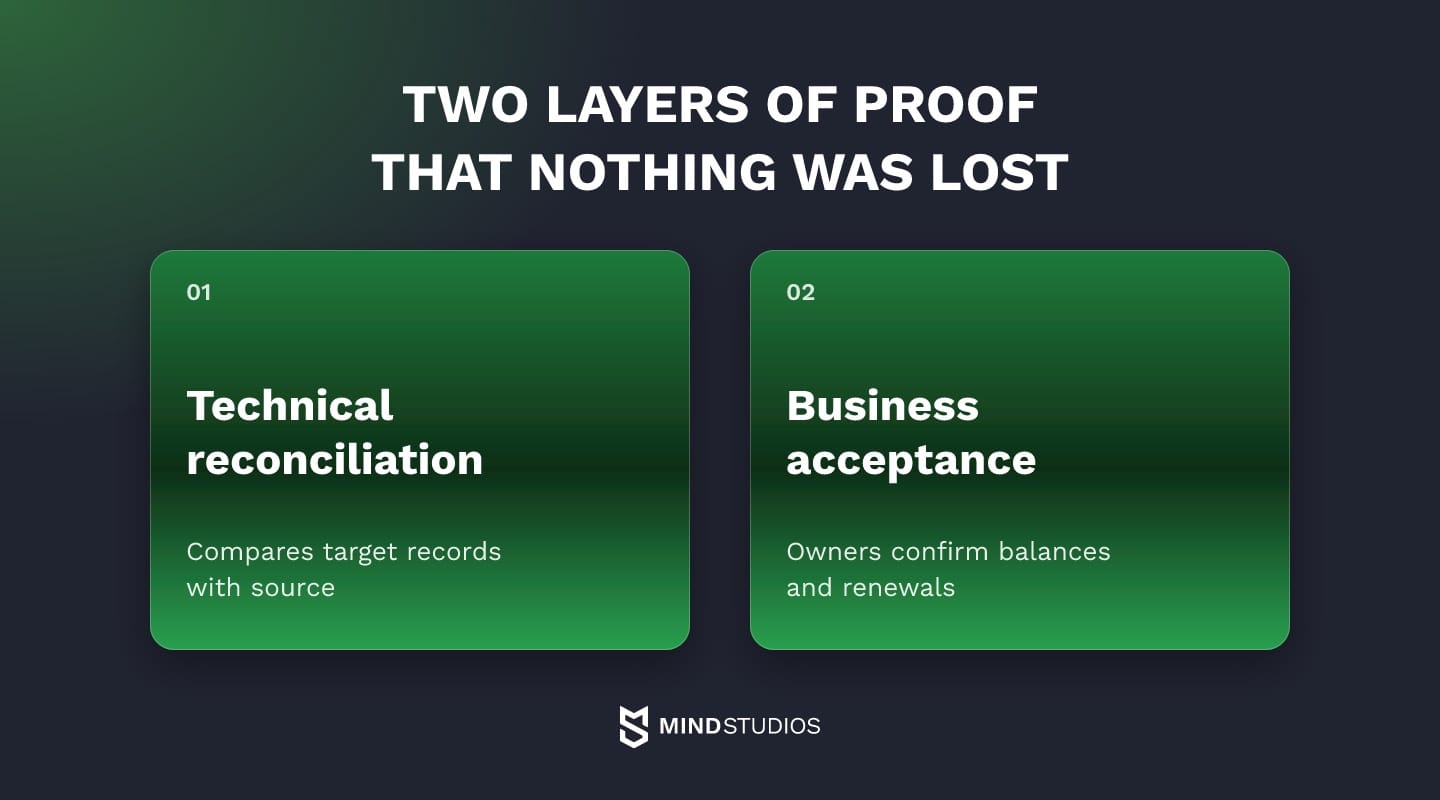
Both layers compare agreed objects at one change boundary, the point where the source was frozen or the sync last caught up, so a moving source doesn't produce false mismatches.
When records are merged, cleaned or reshaped, raw counts and checksums stop matching by design, so the check compares the target with the result the mapping rule predicts. Two duplicate customer records merged into one should leave one record and one merge log entry.
Checks run in layers, from completeness up to user scenarios, and completeness counts allow for planned merges and exclusions:
| Check | What it catches | Evidence |
|---|---|---|
| Record completeness | Dropped, duplicated or truncated rows | Counts and checksums per table and segment |
| Values and transformations | Mapping errors, encoding issues, rounding, timezone shifts | Full-set rule tests against expected results |
| Relationships | Orphaned records, subscriptions or orders on the wrong account | Referential integrity and per-record ownership checks |
| Business totals | Wrong revenue, balances or active subscription counts | Signed source and target totals per segment |
| User scenarios | Broken sign-in, renewals, refunds or history views | Scripted runs with recorded results |
Sign-off follows the layers: the tech lead accepts completeness and relationships, the data engineer value tests, the domain owner business totals, and the product owner with QA user scenarios.
For the active subscription row from the plan, the technical layer confirms that each subscription sits on the right user with the right plan and renewal date. In the business layer, the billing owner signs in as sample users on each plan and watches a renewal run in staging.
Where automated validation stops
Automated tools handle the technical layer well: AWS DMS compares each source row with its target row, and its validation limitations define which tables and changes it can check reliably. Tables need a primary key or unique index, continuously modified rows and views can't be validated, and writes to the target from outside the tool can make the report inaccurate.
Row-level comparison alone doesn't show whether proration follows the intended rule or an old plan code maps to the right price. Acceptance therefore also needs checks against expected billing behavior, run by the people who own the numbers.
Mind Studios' approach: Before the first rehearsal, ask each domain owner which numbers they would check first if something felt wrong after launch. Those become the business totals in the acceptance report, and sign-off goes faster when the owner chose the proof.
After cutover, validation turns into monitoring of key flows, failed payments and daily business totals until hypercare ends.
Risks and how to keep a way back
The data migration risks that hurt most are the quiet ones: records that disappear without an error and business logic that breaks while every table looks right. Downtime, exposure in transit, compliance gaps and scope growth come next, and each one is cheaper to plan for than to recover from.
- Silent loss. A filter, a type cast or a failed batch can drop rows without failing the job, which is why segment-level counts sit next to value and relationship checks.
- Broken business logic. Values arrive intact, but the rules that produced them stayed behind in the old code.
- Downtime past the window. A load timed on a sample can overrun the window at full size.
- Scope growth. Each undocumented field found late adds mapping, testing and another rehearsal.
In business terms, a lost subscription is a customer who never asked to leave. The migration plan therefore needs a tested return path that preserves subscription access if cutover fails.
Security and compliance in transit
Every staging copy, export and temporary credential widens the attack surface while the project runs. The IBM breach report for 2026 puts the global average cost of a breach at $4.99 million, so the security plan has to cover them until the transfer ends.
Under GDPR, Article 5(1)(f) requires personal data to be protected against "accidental loss, destruction or damage," and Article 32 lists the ability to restore access to personal data after an incident among its security measures.
For health data in the US, the HIPAA applicability rule covers health plans, clearinghouses and providers that transmit health information electronically in connection with a transaction covered by the rules, and extends to business associates where the rules provide. Whether HIPAA governs your migration depends on your organization's role.
That is why a partner's security practice matters as much as its pipeline. Mind Studios holds ISO 27001 certification, the international standard for information security management, and clients can ask how those controls apply to their project.
What a rollback plan covers
A data migration rollback plan defines, for each stage of cutover, what sends you back, who decides and how you return without losing anything written in between.
The procedure below assumes one design: at the write freeze, user writes and background jobs stop on the source, and from then on only the migration process writes to it, through controlled access. The CTO authorizes every return and every lift of read-only, and the tech lead executes the procedure.
- Before cutover. The source is still the system of record. Trigger: the final reconciliation misses a threshold. Return: stop the load, fix the issue and schedule a new run, reopening user writes once the CTO approves if the freeze has started.
- After cutover, before new writes. Traffic has switched, but writes are still held in the target, for example during a verification window. Trigger: business totals or a critical scenario fail, and the CTO decides with the domain owner. Return: lift read-only on the source, route traffic back and run the critical scenarios. Nothing reached the target, so there is nothing to replay.
- After new writes in the target. Users have placed orders or changed profiles in the new system. Trigger: a breach of an agreed acceptance or health criterion, such as a business total or the failed-payment rate, inside the rollback window. The CTO also chooses between rolling back and fixing forward. Return, in this order:
- stop new writes and background jobs in the target, such as renewals and notifications;
- record the change boundary, the last change the target accepted;
- replay the inserts, updates and deletes made since cutover into the source through the migration process;
- reconcile those changes and run the critical business scenarios on the source;
- lift read-only for users, then route traffic back.
Reverse replay has limits: the new model may have merged entities the old one keeps apart, or the replay may not fit the window. When rolling back would cost more than the defect, the plan's fix-forward scenario applies.
The same AWS guidance lists fail-forward databases, dual writes and backup and restore as ways to handle rollback with changed data. Dual writes replace the read-only design above, because the application writes to both databases under an agreed write mode.
Mind Studios' insight: Rehearse the rollback like the migration: restore a backup taken at the simulated write freeze, time the return and reconcile the result, then repeat the same procedure with a fresh backup at production cutover. Our guide to moving enterprise systems to the cloud shows an old environment kept live as a fallback after cutover.
We can design the cutover and rollback with your team, starting from the thresholds your business can live with.
Moving users and subscriptions without loss: two Mind Studios projects
The two projects posed different technical problems within the same kind of legacy data migration. On MP3Pool, user data and active subscriptions had to stay in sync between an old and a new server until the domain switched. On Envol, tracking history had to be matched to features the rebuild had renamed and redesigned.
How MP3Pool moved subscribers in three steps
MP3Pool is a subscription platform that distributes licensed music to DJs. We re-engineered it as a single-page application on Vue.js with server-side rendering, a Ruby on Rails backend and FFmpeg preparing tracks for HLS streaming.
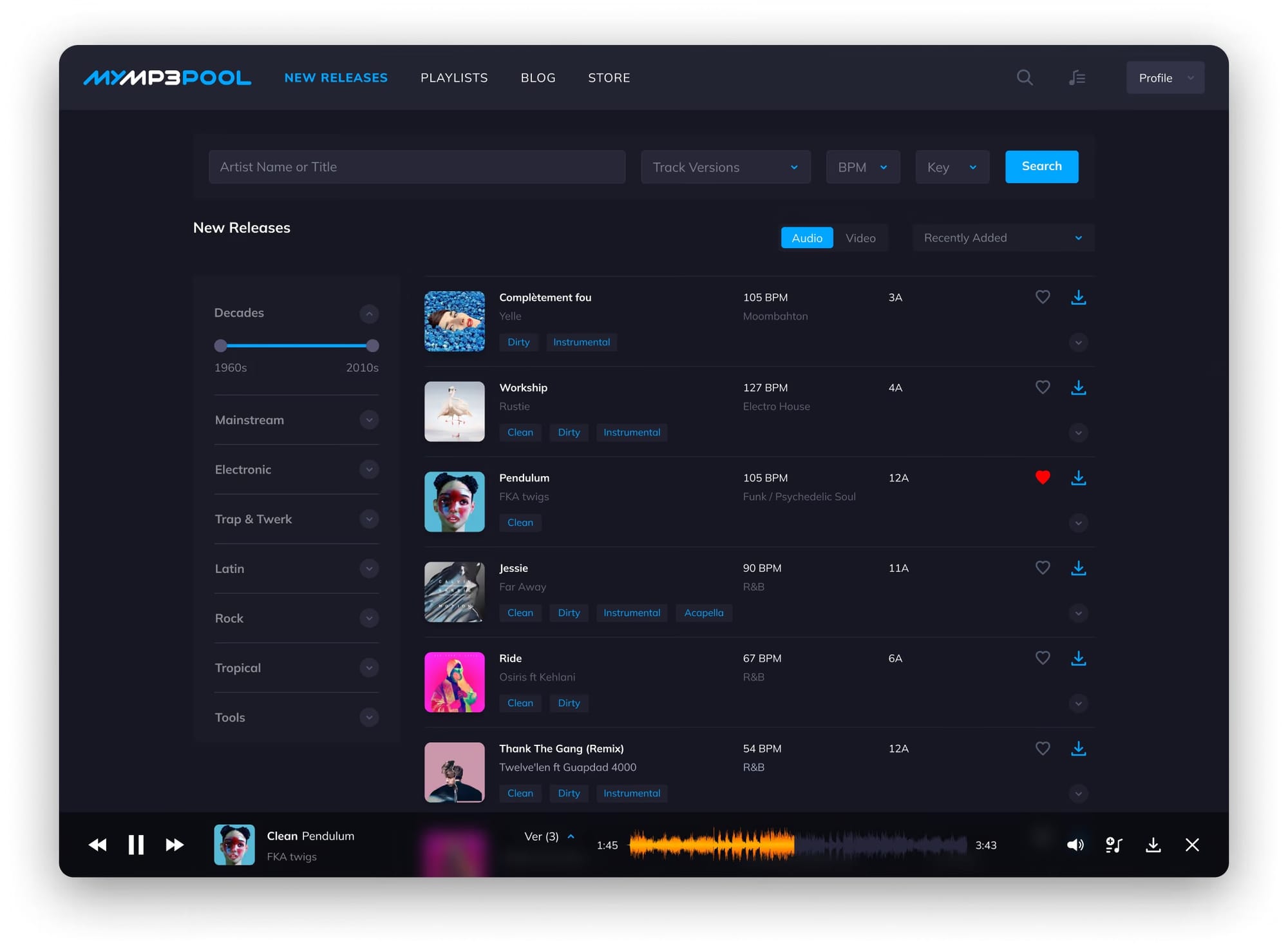
To active subscribers, the switch had to look like a regular interface update, so the cutover ran in three steps:
- The new site went live on a new server under a new domain.
- A dedicated API synced all user data between the servers, so users kept their active subscriptions and personal data.
- The new server took over the main domain, and the old site moved to a subdomain hidden from indexing.
The rebuild also added ID tag validation for every uploaded MP3 file. Tag errors were among the reasons users had given for leaving, so the new system checks quality at the point where data enters it.
How Envol carried tracking history through a rebuild
Envol is a wellness app for people with chronic illness. Building a new Android app from scratch made more sense in time and cost than fixing the old one, so we rebuilt it and moved existing users across without losing their data, subscription statuses or tracking stats.
Passwords were excluded from the transfer. Tracking records were matched to users and to the redesigned features so the app's algorithm could keep working, some by hand and some with tooling.
Dmytro Dobrytskyi, CEO at Mind Studios, offers a criterion for deciding which user data gets zero tolerance in your plan:
Engineering teams judge a migration by whether the tables reconcile. Users judge it by the first screen they open, and a missing subscription or an empty history feels like the product lost them. So before we move anything, we list what each user will check in their first session and give that list zero tolerance.
Do's and don'ts from legacy projects
Most of these data migration best practices protect the rehearsal result that cutover decisions rest on. A schema change, a stale or sampled copy, or a test that fires real payments makes that result invalid. The other two pairs cover budget and credentials, decisions that slip under deadline pressure.
- Migration budget. Do run the migration as a separate workstream with its own budget, owner and schedule. Don't bury it in rebuild tickets, where it gets whatever time is left before launch.
- Source schema. Do freeze the source schema for the migration period and reopen mapping sign-off after any change to a mapped field, key or constraint. Don't let a hotfix alter the source between rehearsals without that review.
- Full-volume rehearsal. Do rehearse at full volume on a copy taken after the last schema change, masked so keys and formats survive. Don't trust a stale, sampled or key-scrambled copy, because its timing and error rate won't match production.
- Credential handling. Do settle credentials early. Password hashes in an algorithm the target supports can be imported, and a forced reset at first login covers the rest, as the Auth0 bulk import guide describes for its platform. Integration secrets such as API keys and tokens get reissued. Don't copy secrets as they are into the new environment.
- Rehearsal side effects. Do switch off payment captures, emails and partner webhooks in rehearsal and verification runs. Don't let a test on migrated data charge, notify or sync real customers.
A legacy data migration checklist
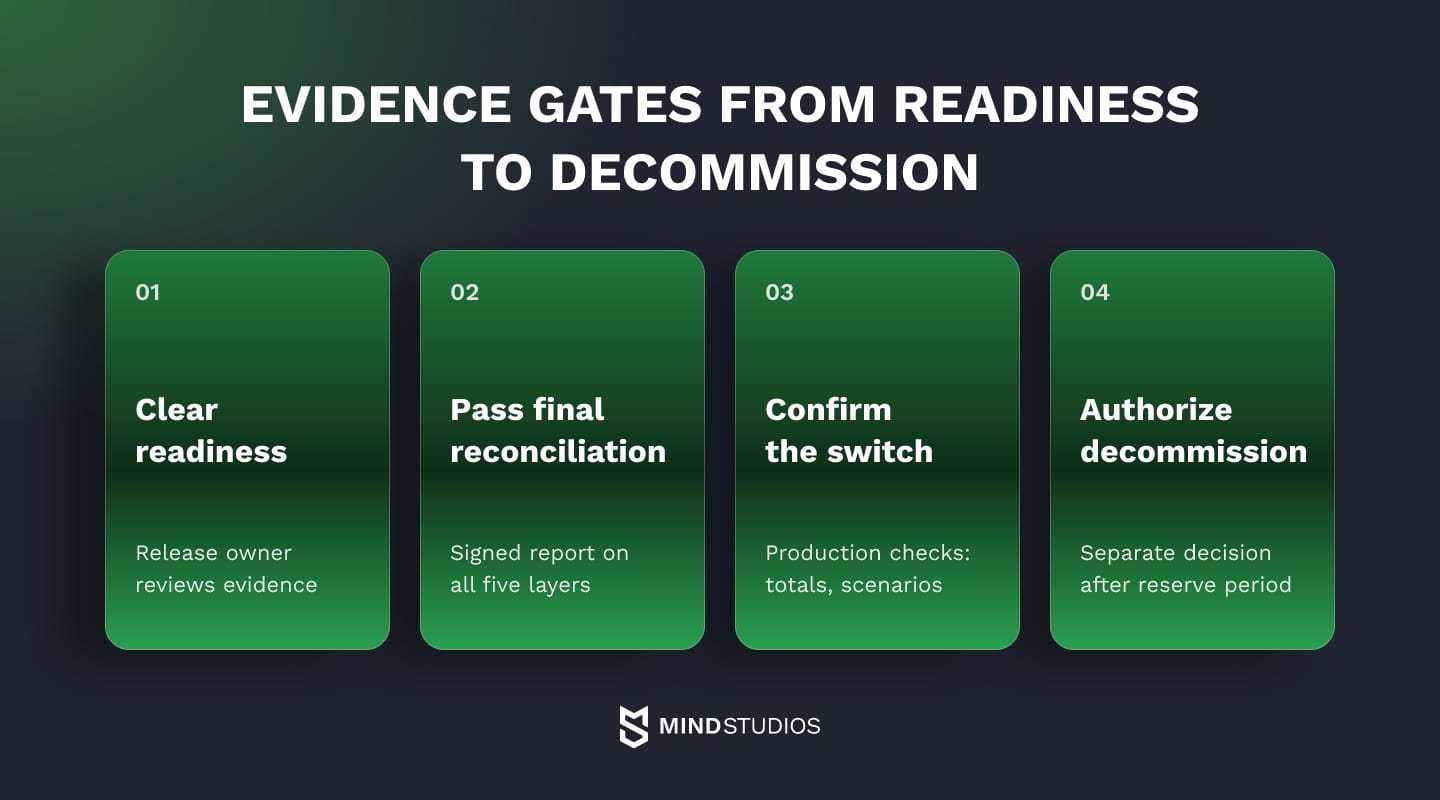
Each phase ends with an evidence review by the owner the plan names. The release owner clears readiness and final reconciliation before cutover, production checks confirm the switch, and a separate decision authorizes decommissioning after the reserve period, so each gate needs evidence only for its own phase.
Before the move: scope and sources
Check scope and source readiness:
- Source inventory signed off. Evidence: systems, tables, files and integrations listed with volumes.
- Move, archive and retire decisions made. Evidence: a decision per category, signed by data owners and legal.
- Mapping and thresholds approved. Evidence: a field-level spec and a threshold per data object, signed by domain owners.
- Blocking quality issues fixed. Evidence: a profiling rerun showing duplicates and broken keys cleared.
- Schema freeze in force. Evidence: a written freeze notice with dates and a review rule for mapped fields.
Before the move: rehearsal and rollback
Check rehearsal and rollback readiness:
- Full-size rehearsal passed with side effects off. Evidence: a reconciliation report within thresholds, a run time inside the window, payments, emails and webhooks disabled.
- Backup and restore procedure tested. Evidence: a rehearsal backup restored to a separate environment and verified.
- Rollback plan approved. Evidence: triggers, owners and procedures for all three states, plus the fix-forward scenario.
During the move
The switch itself leaves three records:
- Final sync complete. Evidence: no pending changes after the write freeze.
- Final reconciliation passed. Evidence: a signed report covering all five check layers.
- Go/no-go recorded. Evidence: a decision log with names and time.
After cutover
Production then has to confirm the switch:
- Business totals accepted. Evidence: owner sign-off on totals per segment.
- User scenarios pass in production. Evidence: smoke test results for sign-in, renewal and history views.
- Hypercare monitoring live. Evidence: dashboards for error rates, failed payments and missing-data tickets.
- Source held read-only under a named owner. Evidence: an access change log and the end date of the reserve period.
At decommission
Old system retired after the reserve period. Evidence: a signed decommission decision, the archive location, revoked accounts and integration keys.
Where to start with your migration
When years of customer and subscription data must survive a replacement, a legacy data migration starts with an inventory of what the old system holds and a decision, domain by domain, on what moves, what goes to an archive and what retires. That inventory is also where our software modernization work begins, before mapping, rehearsal and cutover.
Share the system you're replacing, and we'll turn its inventory into a migration plan your team can rehearse.
FAQ
What is a legacy migration strategy?
A legacy migration strategy usually means the plan for the whole system (rehosting, refactoring, rebuilding or replacing it), which our guide to legacy modernization strategies covers. A legacy data migration strategy is one part of that plan: how records, history and relationships move into the new system, with its own methodology, validation and rollback.
How long does data migration take?
Duration depends on a handful of factors more than on raw volume:
- the number of source systems and integrations
- data quality, since cleanup grows with every issue profiling finds
- the methodology, because a parallel run stretches the calendar while it shrinks downtime
- the cutover window the business allows
- how many rehearsals it takes to pass reconciliation
What drives the cost of a data migration project?
Cost follows effort in four places: profiling and cleaning the source, mapping complexity (especially logic in stored procedures), the sync and reconciliation a parallel run needs, and business time for acceptance. When the estimate is uncertain, profiling comes first, because data quality moves every other line and can be measured before any pipeline exists.
Can you migrate data without downtime?
Near-zero downtime is possible when one sync pattern fits your architecture and the final pause is measured:
- change data capture, which streams source changes into the target while the source keeps serving users
- dual writes, where the application writes to both systems under an agreed write mode and reconciliation compares them
- with either pattern, one system of record per domain and a final write pause timed in rehearsal, scheduled for the lowest-traffic period
Should you clean data before or after migration?
Split the work. Before the move, fix whatever breaks keys or totals: duplicates, orphaned records and invalid identifiers. After the move, clean what the new system's validation rules handle more easily, such as formats and optional fields. Leave historical oddities as they are, with a tag, when changing them would alter records auditors rely on.
What is the difference between data migration and data integration?
Migration transfers a defined set of data to a target system for a specific purpose, such as a system replacement, where the plan separately decides when the source can be retired. Integration is an ongoing exchange between systems that both keep running, like a CRM syncing with billing. Conversion is the format change inside a migration, such as standardizing free-text dates.
Can your team run the migration in-house, or do you need a partner?
An in-house team can run it if it covers these roles:
- a data engineer who can profile, map and build the pipeline
- a QA lead who owns reconciliation and scenario tests
- domain owners with time to rule on exceptions and sign off
- someone who has run a cutover and a rollback before
A partner makes sense when the system's original builders are gone or the team is fully occupied keeping the product running.