 ChatGPT
 Perplexity

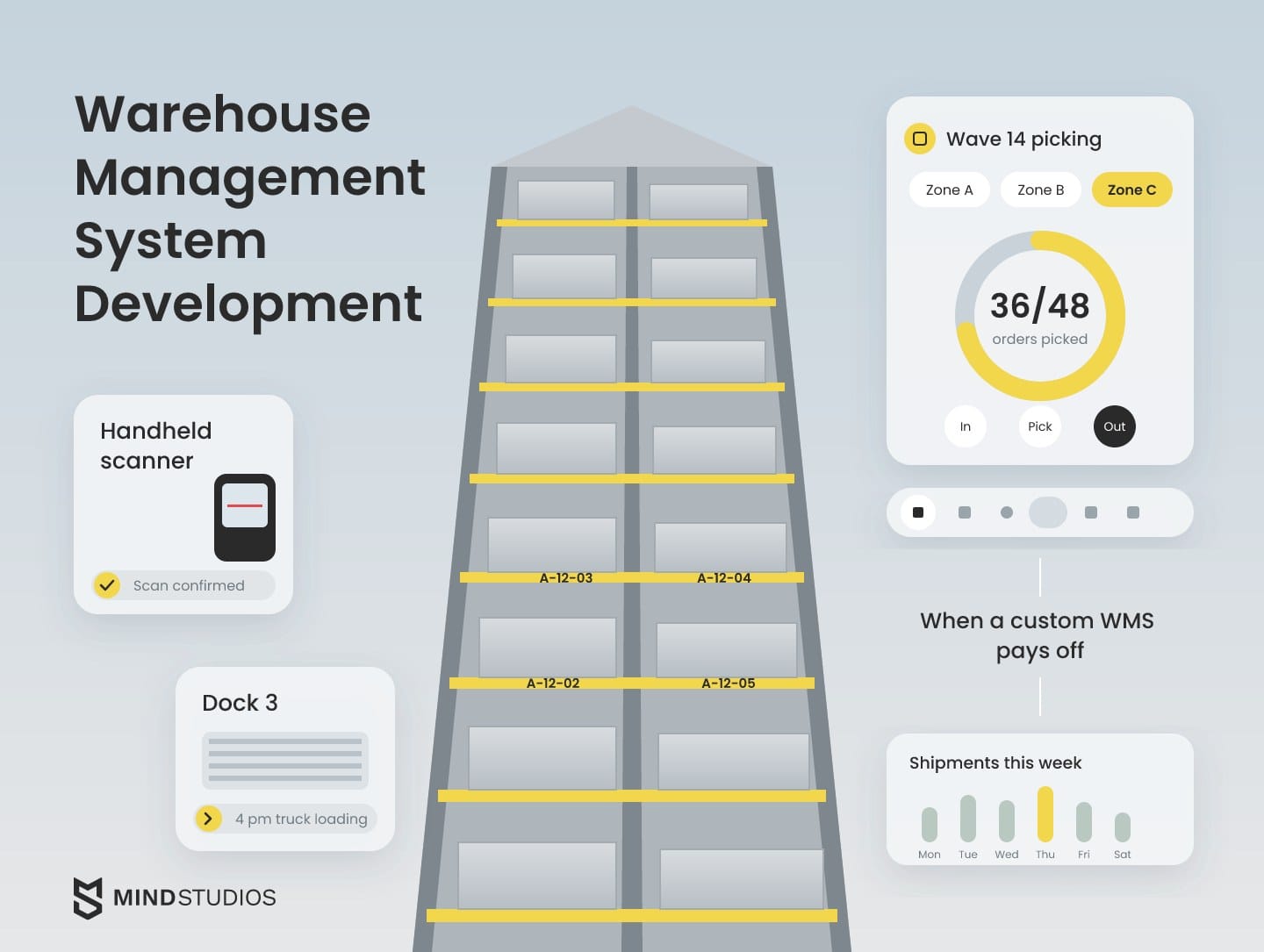
Warehouse management system development makes sense once your warehouse outgrows the software it runs on. This guide shows how to test for that point and plan a rollout around live warehouse operations.
Highlights
- A custom warehouse management system pays off when it beats configured software on total cost.
- Integrations, hardware and data migration drive the budget more than screens do.
- One controlling system per zone and a tested rollback reduce cutover risk.
When every new client, marketplace or site needs another workaround around your warehouse software, you face a choice: configure it, extend it or build a custom WMS. That's warehouse software shaped around how your floor receives, stores, picks and ships, connected to the ERP, storefronts and scanners you already use.
This guide draws on the logistics software we've built, including the platform that replaced several SaaS subscriptions for OÖ Medienlogistik, an Austrian print media delivery company.
If you're deciding whether to extend your current system or replace it, the first question is which of your workflows and integrations it can no longer carry.
What a warehouse management system is and what WMS development covers
A warehouse management system is software that directs every movement of stock inside a warehouse, from receiving and put-away to picking, packing and shipping, as Microsoft's product documentation describes it.
The system directs work to warehouse staff, tracks inventory down to the individual location and connects the floor to sales, procurement and transportation. WMS development means designing and building those modules, the integrations around them, the mobile apps on the floor and the manager's control panel.
The table below maps core warehouse processes to what the software does in each.
| Process | WMS function |
|---|---|
| Receiving and put-away | Checks inbound goods and assigns storage locations |
| Inventory flows | Tracks every item in real time |
| Order fulfillment | Runs each order through picking, packing and verification |
| Shipping | Groups orders into shipments, prints carrier labels, confirms what left the dock |
| Equipment, robotics and IoT | Sends tasks to AGVs and AMRs, collects data from warehouse sensors |
| Labor and analytics | Assigns tasks, tracks productivity, feeds management reports |
In a development project, each row becomes a module with its own screens, rules and data.
ERP vs. WMS: where the line sits
An ERP holds the business record, such as sales orders, invoices and the financial value of stock, while a warehouse management system runs the physical floor. The ERP knows you own 400 units of an item; the WMS knows that 120 sit in aisle 14, level 3, and two are reserved for a 4 p.m. truck.
Many ERPs include a warehouse module, and for one simple site it can be enough. SAP draws the line inside one vendor: S/4HANA is the ERP, and its Extended Warehouse Management is the WMS, which can run embedded in S/4HANA or as a separate, decentralized system.
You cross that line when floor logic outgrows the module: wave picking across several clients, task queues for robots or scan-by-scan confirmation.
Our breakdown of logistics ERP systems compares the options on the ERP side.
Types of warehouse management systems
There are five practical types of warehouse management systems:
- Standalone WMS
- Warehouse module inside an ERP
- Module of a broader supply chain suite
- Cloud or SaaS WMS
- Custom-built system you own
The first four are products you license. The fifth is software you commission, and that changes who controls the roadmap.
The types overlap: a standalone WMS can run as SaaS, and a custom system usually runs in the cloud. The table below compares who each one fits and where it pinches.
| Type | Who it fits | Where it pinches |
|---|---|---|
| Standalone WMS | Operations with complex flows and an IT team to run integrations | ERP and storefront connections can become separate projects |
| ERP module | Sites already on that ERP whose flows its module covers | Floor workflows follow the ERP's data model and release cycle |
| Supply chain suite module | Enterprises buying planning, transport and warehousing from one vendor | Rollouts can run long; change requests may wait in the vendor's queue |
| Cloud or SaaS WMS | Growing e-commerce and 3PL operations that want a vendor-run system | Fees that scale with users or volume; vendor-set roadmap |
| Custom-built system | Operations whose core processes or integrations no configured product covers | Larger first investment; needs a long-term development partner |
Ready-made products often cover more than founders expect. Microsoft's warehouse module, for example, can run as an external shared warehouse for several companies and track which one owns each unit, which is the pattern a 3PL needs.
Multi-client inventory alone doesn't justify a build. A custom-built system belongs in the comparison once ready-made warehouse management software starts shaping your processes for you.
When do you need a WMS, and when does a custom WMS pay off
You need a WMS once spreadsheets and memory stop keeping stock accurate. That shows up as mis-picks, lost pallets and manual counts that grow with volume. Your own system pays off only when it beats both a configured product and an extended one on the same cost inputs.
Signs your current setup has hit its ceiling
Each of these signs points to manual work the current setup creates:
- Stock in the system and on the shelf drifts apart between cycle counts
- Pickers work from paper lists or spreadsheet printouts
- Onboarding a new 3PL client or marketplace takes weeks of manual setup
- Orders from storefronts or EDI partners get rekeyed by hand
- Each new site or shift adds license fees faster than margin
- Managers rebuild the same reports in spreadsheets every week
If these problems keep coming back, trace each one to the workflow your current setup can't support. That shows whether configuration, an extension or your own system deserves a closer look.
Three checks before you choose a path
Run these checks in order, cheapest first:
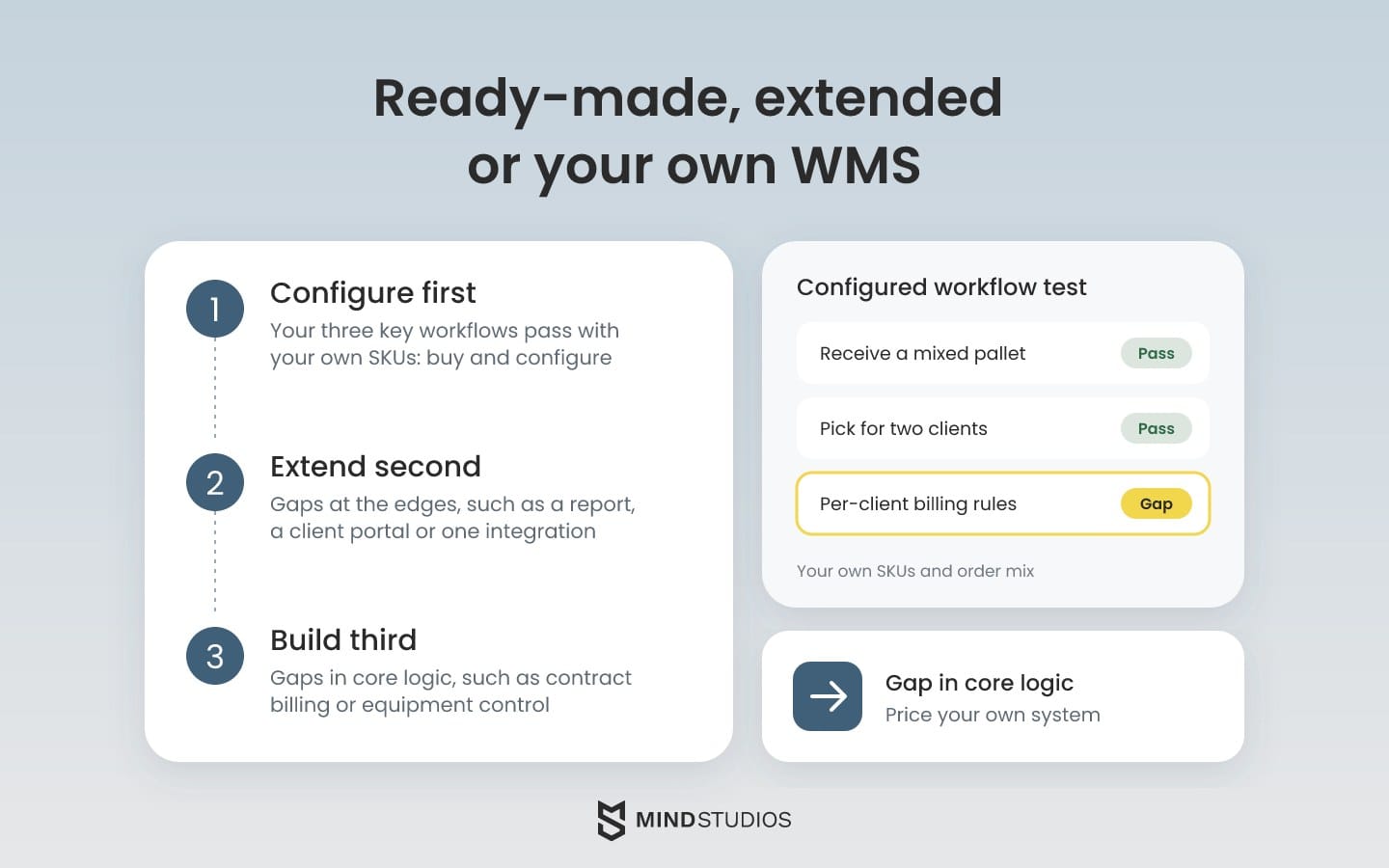
- Configure first. Run your three most important workflows end to end in a configured ready-made product, using your own SKUs and order mix. If they pass without code changes, buy it and configure it.
- Extend second. If the gaps are at the edges, such as a report, a client portal or one integration, price an extension or middleware on top of the product.
- Build third. If the gaps are in core logic, such as contract-specific billing or control of equipment the product doesn't support, price your own system.
Compare the options on the same inputs
Price all three paths with the same inputs from your operation:
- Manual work: hours spent and the cost of errors today
- License fees: how they grow with users, sites and clients
- Extensions and middleware: their cost plus upkeep
- Transition: migration, training and the pilot
- Support: ongoing support and who decides what gets built next
Workarounds that are still there after the extension go in that option's column.
Ownership is a contract term, so the agreement with your custom software development partner has to spell it out.
It should cover IP transfer, access to the code repository from day one, documentation another team can work from, full data export and the licenses of any third-party components. Those terms decide how easily you can switch partners or bring development in-house.
Our comparison of custom vs. off-the-shelf logistics software covers the same trade-off across the wider logistics stack.
Mind Studios' recommendation: A ready-made product will serve you better if you run one warehouse with standard flows and every integration you need exists as a ready connector. Before you sign, ask the vendor to run your own exceptions, such as short picks and damaged goods, in the configured system.
Core features of a custom WMS
The first version of a warehouse management system you own needs the features that keep stock accurate and orders moving. Those are inventory and location control, receiving and put-away, order processing, picking, packing, shipping, roles and reporting.
Labor management, slotting and AI forecasting usually come later, once the core runs on real data, unless your flows need them on day one.
The table below sorts each function by what it gives the warehouse and when to build it.
| Function | Warehouse benefit | When to build |
|---|---|---|
| Inventory management and control | Accurate stock by SKU, lot and status | First version |
| Warehouse location management | Every bin known, every move recorded | First version |
| Receiving and put-away | Inbound goods checked and stored without paper | First version |
| Order processing and fulfillment | Orders released, tracked and closed in one flow | First version |
| Picking and packing | Guided picks with scan confirmation | First version |
| Shipping | Labels, manifests and dock confirmation | First version |
| User and role management | Controlled access to adjustments and client data | First version |
| Reporting and dashboards | Daily view of throughput, accuracy and backlog | First version |
| 3PL and B2B support | Per-client stock, rules and billing | First version if you bill clients |
| Returns management | Inspection and restock of returned goods | First version if returns are a daily flow |
| Labor and yard management | Productivity by shift; dock scheduling | When labor cost or dock queues hurt |
| Slotting and AI demand forecasting | Fast movers near pick faces; stock set by expected demand | Once order history builds up |
| Voice picking and digital twins | Hands-free picks; layout changes simulated first | When volume or layout changes justify it |
Roles, access and employee data
Roles decide who can adjust stock, override a pick or see another client's inventory. An audit trail of every adjustment is what settles disputes with clients and auditors.
Scanner logins and productivity tracking also make the system a store of employee data. For EU sites, GDPR Article 88 lets member states set more specific rules for processing employee data at work. Check local law before you add dashboards that track each person's performance.
Put roles, access logs and employee-data rules into the first-release scope, because adding them after launch means reworking screens and reports. Also ask how your development partner protects that data. Mind Studios, for example, is ISO 27001 certified for information security and ISO 9001 certified for quality management.
Mobile scanning and offline mode
Floor staff use the warehouse management system through handheld terminals, so the mobile app is where adoption is won or lost. Screens need few taps and large targets that work with gloves, and the next task should appear as soon as the last one closes.
Location barcodes hold that flow together. Each bin, shelf and dock door gets its own label, so a picker scans the location before the item and the system confirms they're in the right place.
Coverage can also drop between high racks or inside a cold room, so the app needs a clear split between what a device does on its own and what waits for the server:
- Works offline: confirming picks and put-aways assigned to the device before the signal dropped, counting a location, receiving against a known ship notice
- Waits for the server: releasing new orders, reallocating stock, posting adjustments and closing shipments for carriers
Offline scans queue on the device and sync when the signal returns. If two devices touched the same bin, the server flags the conflict for a supervisor to resolve.
WMS integration with ERP, e-commerce, TMS and warehouse hardware
Integrations often set the rollout order and a large share of the budget in a warehouse management system build.
A typical project connects an ERP, e-commerce platforms, a TMS or carrier APIs, EDI partners and floor hardware such as scanners, RFID readers, conveyors and robots.
The table below lists the usual connections and what the warehouse notices when each one fails.
| System | Data exchanged | Failure impact |
|---|---|---|
| ERP (SAP, Oracle, NetSuite) | Items, orders and stock value | Finance and floor stock disagree |
| E-commerce (Shopify, Magento, BigCommerce) | Orders and available stock | Overselling or orders that never reach the floor |
| TMS and carrier APIs | Shipments, rates, labels and tracking | Trucks wait at the dock; tracking goes dark |
| EDI partners | Purchase orders, ship notices, invoices | Rejected deliveries and retailer penalties |
| CRM, OMS, BI and accounting | Orders, KPIs and billing | Reports and invoices built on stale data |
| Scanners and mobile terminals | Scans and task confirmations | The floor falls back to paper |
| RFID, scales and dimensioning | Tag reads, weights and dimensions | Wrong shipping charges and unverified pallets |
| Conveyors, sorters and label printers | Routing and print commands | Packages go to the wrong lane |
| AMRs and AS/RS | Tasks and location updates | Robots sit idle while stock positions drift |
What makes integrations hard to estimate
Units of measure differ between the ERP and the storefront, carriers change API versions and EDI partners each read the standard their own way. Every exchange also needs retries and duplicate protection, so a network glitch can't ship an order twice.
If your warehouse depends on undocumented interfaces or equipment that needs on-site testing, estimate those connections separately.
Mind Studios' insight: Run the integration layer as its own service, with a queue and an exchange log. Receiving, picking and packing can then continue through an ERP outage on tasks and stock the WMS already holds, which the pilot should test with the ERP disconnected. Storefront orders and carrier labels each need their own fallback.
Where the WMS stops and equipment control starts
Conveyors, AMRs and AS/RS run their own control software. The WMS decides what should move, and that control software decides how.
Microsoft's material handling interface shows the split. The WMS posts work to an outbound queue, the equipment system carries it out and then reports completions or short picks back. Stock counts inside the equipment fall outside that interface.
Our guides to smart warehousing automation and smart TMS solutions cover robots, AS/RS and transport after the dock in more depth.
What AI features need from the WMS
AI features such as demand forecasting or slotting need clean order history by SKU, location and date, plus the WMS events that show what actually moved. Treat their output as advice: if the forecast is stale or unavailable, replenishment falls back to fixed minimum and maximum levels.
If your integration list already runs past a handful of systems, the connections that carry the most risk are worth mapping before anything gets estimated.
Warehouse management system development process step by step
The process runs in six steps, from discovery of warehouse processes to a phased launch with training. Each step ends with something the warehouse team can check, so open questions surface before go-live:
- Discovery of warehouse processes. Interviews with managers and floor staff, plus time on the floor, produce a process map with workarounds marked, an integration list and the first-release scope.
- Architecture and mobile prototypes. The architecture leaves room for the sites, clients and automation you plan to add. Real users test the scanner screens before coding starts.
- Iterative development. Sprints with regular demos let feedback from the warehouse shape each release.
- Integrations and sandbox testing. Workflows run on simulated data against test instances of the ERP, storefronts and carriers.
- Data migration and reconciliation. Stock, locations, SKUs and open orders move over, and cutover waits until they match a physical count.
- Phased launch and training. Staff are trained before their area switches over, and post-launch monitoring shapes the next releases.
What discovery should change in the brief
Discovery is also where a partner should push back on the brief.
On the WareDnD project, a B2B marketplace where companies find and rent warehouse space, our scope was discovery, UX research and product architecture. We mapped how owners list space and how renters book it, defined the product flows and refined parts of the original approach during discovery.
Mind Studios' approach: We write the first-release scope as floor scenarios, such as "receive a mixed pallet without a ship notice" or "pick for two clients from one aisle," and only then choose the stack. Each scenario becomes a sandbox test case, so the team proves each workflow in testing.
Phased WMS implementation around live shipments
A phased WMS implementation starts with one zone or site, such as inbound receiving or a single client's inventory, while the rest of the warehouse keeps its current process. The pilot runs one complete flow end to end before the next one switches over.
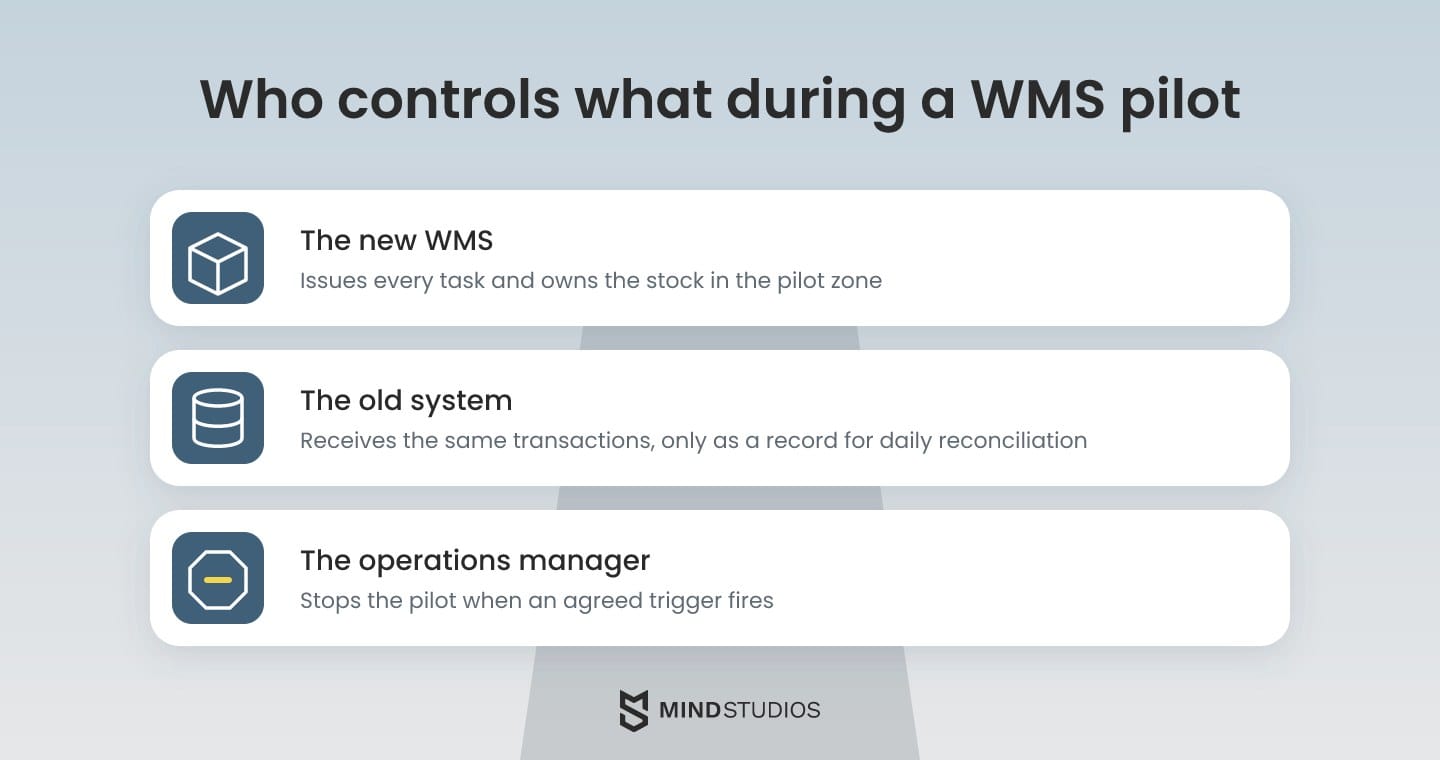
In the pilot zone, the new WMS issues every task and owns the stock. The old system receives the same transactions by import, only as a record for daily reconciliation, so no order gets worked twice.
If received stock moves on to a zone the old system still runs, agree on the handover: the pilot zone closes its task, and the old system takes the stock in as a transfer.
Before go-live, name the person who can stop the pilot, usually the operations manager, and agree on the triggers. Typical triggers include:
- Stock that drifts from physical counts beyond a set tolerance
- An integration that stops delivering orders for longer than an agreed window
- Shipments that miss carrier cutoffs because of the system
A rollback path that restores state
Rollback means restoring the state of every order the new system touched. Received stock has to be loaded back into the old system, and picked orders need their totes and locations recorded.
For shipped orders, you also need the carrier labels, tracking numbers and ERP confirmations the WMS already sent. Rehearse that export once in the sandbox. The rehearsal passes when the old system takes the restored states without shipping an order twice or resending commands.
When we migrated MyMP3Pool's music library, 40TB of licensed tracks, to AWS, the old server stayed live for a month as a fallback. A warehouse cutover benefits from the same kind of standby, with the restore steps written down.
Before the rollout moves past the pilot, four conditions should hold:
- Stock counts in the pilot zone match a physical count
- Scan errors and exceptions have leveled off
- Every integration has run cleanly through a full business cycle
- Staff in the next zone have finished training
Warehouse management system cost: what drives the budget
In a custom build, integrations, hardware, data migration, training and support usually move the budget more than the screen count does.
Two warehouses with similar feature lists can need very different budgets. One might connect to a legacy ERP, three marketplaces and a robot fleet, while the other runs on scanners and a single storefront.
The table below breaks the warehouse management system cost into components.
| Component | What's included | Budget drivers |
|---|---|---|
| Features | Core modules, roles and reports | Number of workflows, 3PL multi-client logic, custom rules |
| Integrations | ERP, e-commerce, TMS, EDI and carrier APIs | Number of systems, legacy formats, partner test windows |
| Hardware | Scanners, RFID, printers, conveyors and robots | Device types, vendor SDKs, on-site testing |
| Data migration | Stock, locations, SKUs and open orders | Data quality, number of sources, reconciliation effort |
| Training and rollout | Materials, pilot support and floor coaching | Number of sites, shifts and languages |
| Hosting and support | Cloud infrastructure, monitoring and updates | Uptime needs, transaction volume, release cadence |
Ask for every estimate, custom or ready-made, broken down by these six components, because a single total hides where the risk sits.
How to read ready-made WMS pricing
Ready-made products scale their fees in different ways. Before you compare a vendor with a build, find out:
- How the license grows with users, sites and order volume
- Whether there's a minimum term
- Which modules cost extra
- What implementation, integration and training services add on top
Comparing total cost over several years
The three-path comparison works best over the years you expect to run the warehouse management system, because two drivers only show up over time. Vendor upgrades can break extensions and integrations that someone then has to fix. Exit cost drops when the contract gives you the code and the data.
Mind Studios' tip: Ask for a firm estimate of the first release and only a range for later phases. Re-scope the advanced modules after the core has run on real orders, because usage data shows which of them the floor will actually use.
Development partners usually work in one of three models: fixed-price for a tightly defined scope, Time & Materials when requirements will change, or a dedicated team for a long roadmap.

Where custom WMS projects fail and how to prevent it
Before you approve the rollout, ask for evidence on six common weak spots, each paired below with the step that prevents it.
| What goes wrong | Prevention |
|---|---|
| Underestimated integrations | List every system and data exchange in discovery; test against partner sandboxes early |
| Poor data quality | Clean SKUs, units and locations before migration; reconcile with a physical count |
| Staff resistance | Bring floor staff into prototype reviews; train shift leads first |
| Downtime at launch | One controlling system per zone; a rehearsed rollback |
| Technology before process | Write the scope as floor scenarios before picking the stack |
| Scope that keeps growing | Fix the first-release scope; route new requests to a backlog the owner signs off |
Adoption is the hardest risk to evidence, because a new warehouse management system changes how pickers, receivers and shift leads spend every hour.
Dmytro Dobrytskyi, CEO at Mind Studios, explains who should review prototypes and why:
Most teams judge new software by how it behaves on an ordinary shift, so requirements have to come from that shift. On OÖ Medienlogistik, we defined them from real delivery conditions, and that's the habit we'd carry into any warehouse.
Bring people from each shift, plus whoever handles damaged goods and short picks, into prototype reviews. They see the exceptions a demo never shows.
How a logistics client replaced SaaS subscriptions with its own system
OÖ Medienlogistik handles thousands of print media deliveries a week, and the platform we built for it covers dispatching, mileage and payroll. The decision behind it is the one a warehouse management system raises: keep stacking subscriptions and spreadsheets, or own one system shaped around the work.
The problem
The company had no reliable way to calculate couriers' real mileage from the terminal to each delivery point. That led to frequent pay disputes, manual mileage calculations and payroll delays. Leave requests ran on paper, and fleet, HR and finance had little connection between them.
What we built
We mapped the company's workflows, defined functional requirements based on real delivery conditions and then developed an integrated system with:
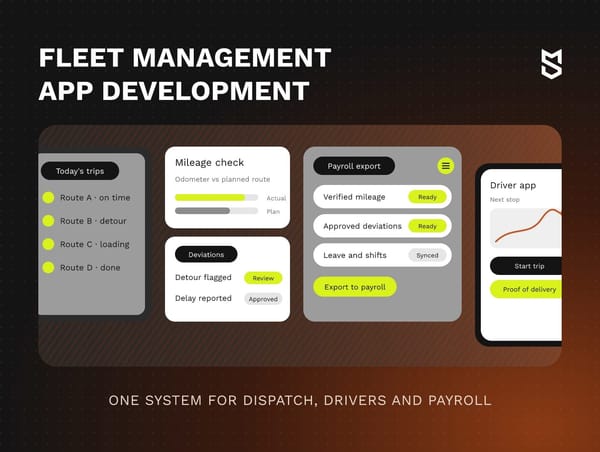
- Mileage verification: odometer-based, with automatic discrepancy flags and detour alerts
- Dispatching: dynamic route adjustments
- Deviations and payroll: approval of deviations and payroll export to CPA software
- HR and dashboards: an HR module, a finance dashboard and role-based dashboards for couriers, area managers and administrators
What changed
100% of couriers adopted the system in the first month after launch. Payroll processing time dropped significantly, the platform replaced several third-party SaaS subscriptions and route planning lowered fuel costs.
For a WMS decision, notice the order of events: requirements came from real working conditions, and the people doing the work switched over within a month.
Your next step: what to prepare before scoping a WMS
A warehouse that has outgrown its software usually shows it in the workarounds your team already runs. To turn those workarounds into a decision about a new warehouse management system, you need three things on paper:
- Process map: a rough map from receiving to dispatch, with workarounds marked
- Systems and devices: every one the WMS must connect to
- Migration data: a sample of the SKU master, locations and open orders
With those three in hand, the next step is a review of your current warehouse processes and systems, so the estimate that follows reflects how your floor actually works.
FAQ
What is a warehouse management system?
It's the system of record for where stock physically sits and what happens to it next.
Here's a quick test: if your software tells a picker which bin to visit and confirms the pick with a scan, you're running a warehouse management system. If it only keeps stock balances, it's inventory software.
What is warehouse management software development?
It's commissioning WMS software for your own operation instead of licensing a product. The main difference is who controls the roadmap. Your priorities set the release plan, and warehouse staff test prototypes before features reach the floor.
What does warehouse management system development include?
Check that every proposal includes:
- A written process map and first-release scope
- Scanner apps and a manager dashboard
- Each integration as a separate line item
- Data migration with a reconciliation plan
- A pilot, training and a rollback plan
- Access to the code repository and documentation
How much does a warehouse management system cost?
A reliable figure needs these inputs from your side:
- Your integration list, system by system
- Device types on the floor
- The number of sites, shifts and clients
- A sample of the data to migrate
- The three workflows the first release must run
Then compare total costs over the same period for every option, including licenses, support and upgrades.
What are the four types of WMS?
Two questions sort any product: where it runs and what it's part of. The four common answers:
- Standalone WMS, a dedicated warehouse product
- ERP module, inside the ERP you already run
- Supply chain suite module, sold with planning and transport
- Cloud or SaaS WMS, hosted by the vendor
A system built for you is the fifth option.
Is SAP an ERP or a WMS?
Both, as separate products. SAP S/4HANA is the ERP, and SAP Extended Warehouse Management is the WMS, available embedded in S/4HANA or as a separate system. If a vendor pitch mentions "SAP WMS," ask which warehouse component and deployment model it includes, because licensing, rollout effort and floor capabilities differ.
Can you run a warehouse on Excel instead of a WMS?
For a small single site with low order volume, yes, for a while. Excel has no built-in way to confirm moves with scans or lock a bin while someone picks from it.
If counts drift every week, track the time spent investigating discrepancies and correcting orders. Compare that baseline with the cost of changing systems.
When is a custom WMS better than off-the-shelf software?
When a configured product fails one of your most important workflows in its core logic and no extension closes the gap at a lower cost over the years you plan to run it. If your team maintains spreadsheets and scripts around such a gap every week, count that upkeep in the comparison.