
 ChatGPT
 Perplexity

Online coaching platform development comes down to one choice: keep a branded white label platform or build a system your business owns. Here is how to tell which one you need.
Highlights
-
White label fits one brand with a standard method and no custom integrations.
-
Build custom when a workflow clients pay for can't run on a ready platform.
-
Plan client migration, data ownership and store payment rules before development starts.
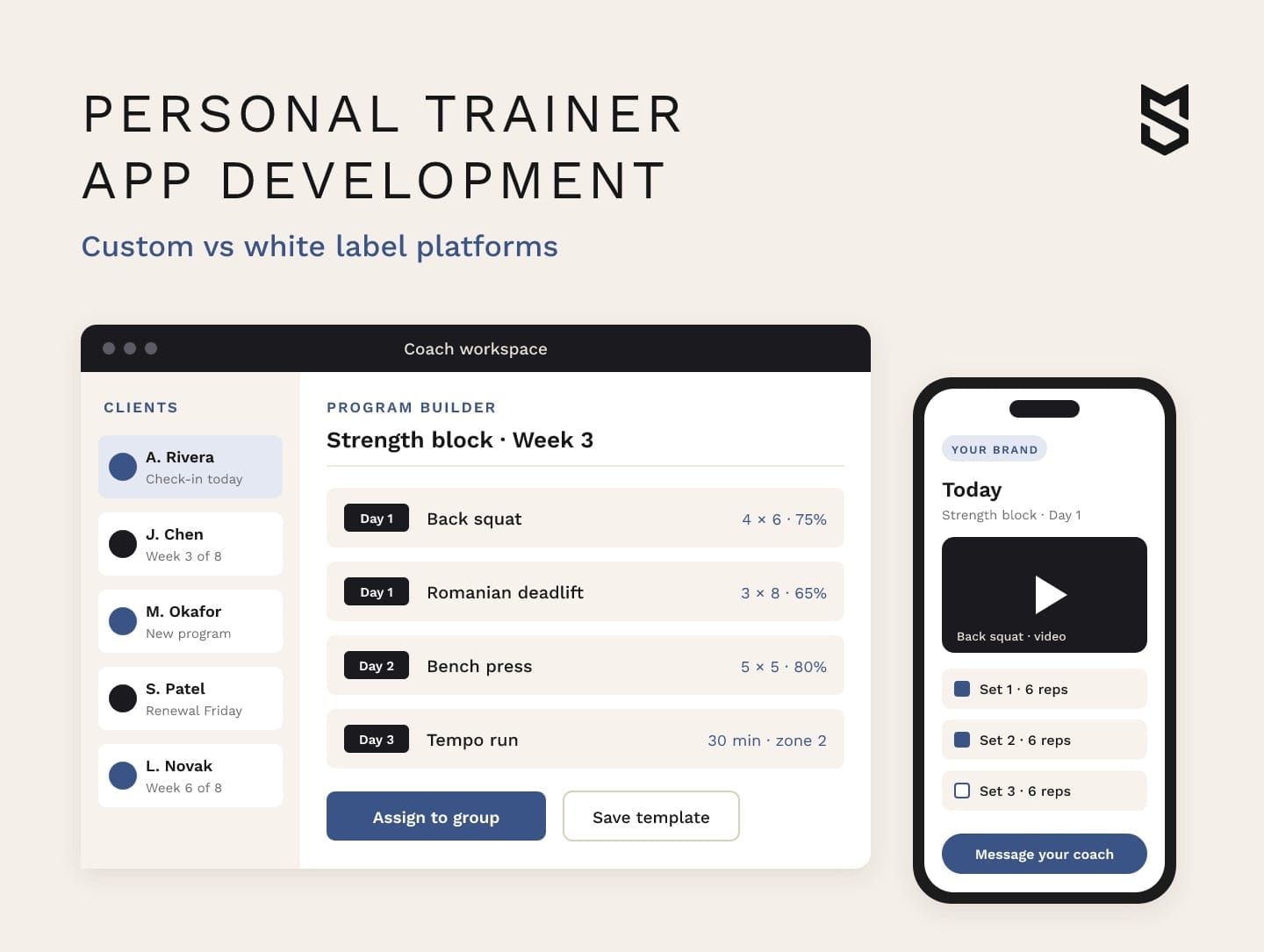
Personal trainer app development gives a coaching business one product where coaches build programs, clients train and report back, and payments settle. You can get there on a white label platform under your brand or on a platform you own.
Most owners start looking when the setup that carried their first clients starts to creak. Programs sit in one tool, check-ins in a messenger and payments in a spreadsheet. We built a system that pulls these together as the FITR platform for personal trainers, and this guide draws on the decisions behind it.
If your coaches spend their evenings copying data between tools, start by mapping which of those tools one platform should replace.
What personal trainer app development covers for a coaching business
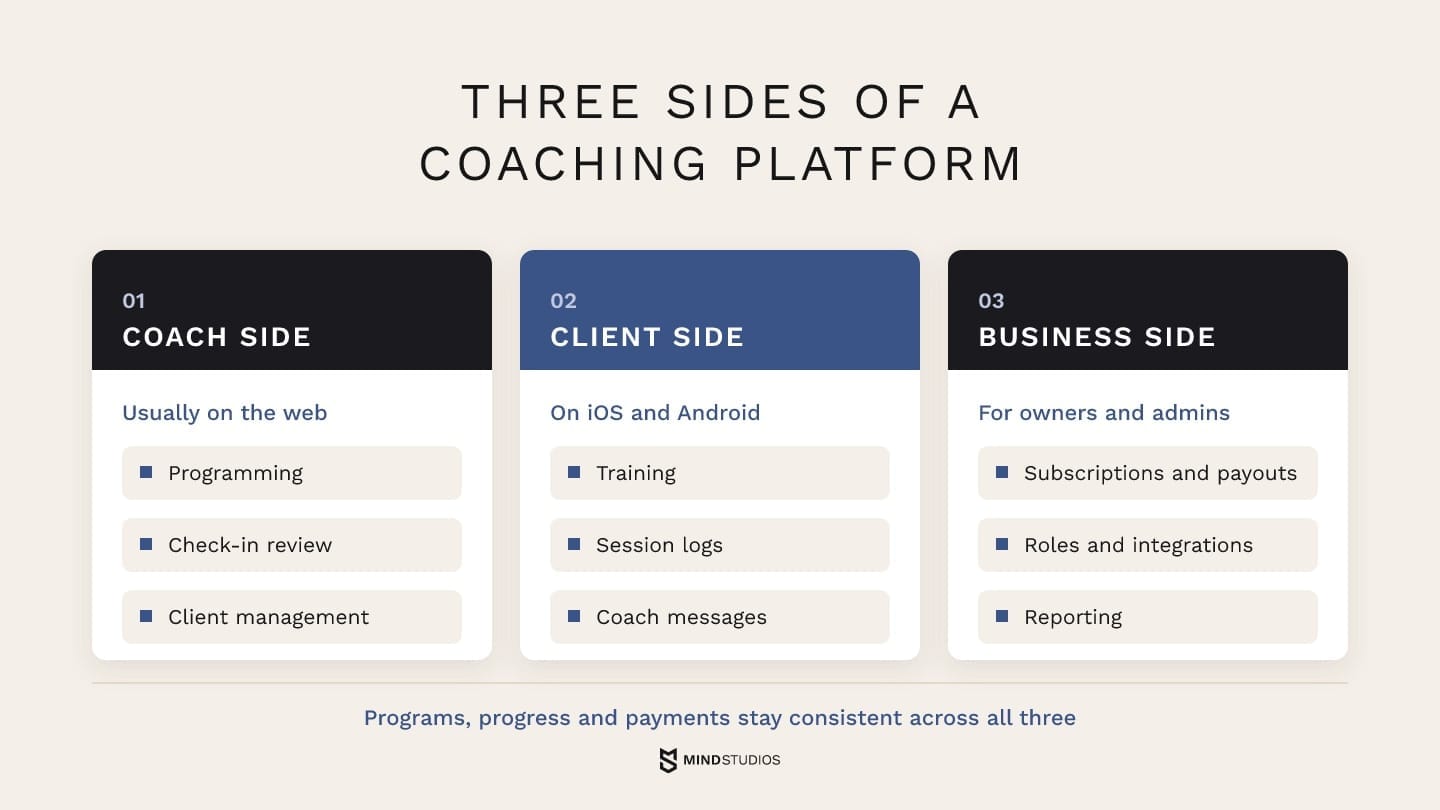
A coaching platform connects the coach, the client and the business, and an online fitness coaching platform works when programs, progress and payments stay consistent across all three. White label and custom both cover these sides. They differ in how much of each side you control and who decides what changes next.
Each side has its own users and its own job:
-
Coach side. Programming, check-in review and client management, usually on the web, since programs get built at a desk.
-
Client side. Training, session logs and coach messages on the phone clients carry to the gym.
-
Business side. Subscriptions, payouts, roles, integrations and reporting for owners and admins.
A marketplace where clients book independent experts is a different product, driven by scheduling and expert discovery, and our guide to consultation platform development covers it.
Custom fitness app vs white label fitness app: the trade-offs that matter
A white label platform gets a coaching business to market faster and with a smaller upfront budget, because the product already exists and you license it under your brand. A custom platform makes sense when a workflow your clients pay for can't run on a licensed product and the business can pay for building and maintaining its own.
The table compares both paths on the criteria that decide most of these projects. In the custom column, your contract, your APIs and your support budget set what you get.
| Criterion | White label platform | Custom platform |
|---|---|---|
| Code and data ownership | The vendor owns the code; data export depends on contract and tools | Your company, if the contract assigns code, database and documentation rights |
| App store listing | Check whose developer account publishes it and whether the contract permits transfer | Under your own Apple and Google developer accounts |
| Branding depth | Logo, colors, app name and domain within vendor templates | Every screen, flow and term follows your brand |
| Program logic and methodology | Your method has to fit the vendor's program builder | The builder follows your method; that logic needs design and testing |
| Integrations | The vendor's connectors, plus Zapier or webhooks where offered | Systems whose API and access terms allow it: CRM, billing, wearables, booking |
| Cost model | A subscription that grows with clients, coaches or branding tier | A development budget, then ongoing hosting, support and new features |
| Speed to launch | Setup and content migration on an existing product | Discovery, design and development before the first release |
| Who ships updates | The vendor, on its roadmap, for all of its customers | Your team or development partner, on your priorities and budget |
A row weighs most when it describes a real constraint, such as a programming limit that creates manual work across several coach teams. Having your own method doesn't prove you need your own platform, because a good builder can hold many methods.
Two kinds of white label in this decision
White label means two things in coaching: buying a ready platform under your brand, or building your own platform that offers white label to the coaches who use it, as FITR does for premium subscribers. Mixing them up skews the comparison.
A custom branded fitness app can also run on a white label platform. Your name appears in the store, while the vendor still controls the backend, program logic and available integrations.
Mind Studios' insight: Add the upkeep to the custom column before you compare totals: updates for new iOS and Android releases, security patches and a team that knows the code. A fair comparison sets several years of subscription against the build plus several years of support.
When a white label coaching app is the right call
A white label coaching app is the better choice while your clients mainly pay for the coach and the coach's programs. In that case a ready platform handles the technology, and your budget stays in coaching, content and client acquisition, which is where the business earns.
If you're a solo trainer who wants to create your own coaching app, a white label platform is the realistic route, because the vendor already handles store releases, hosting and updates.
White label is likely enough for your business if these statements hold:
-
One brand. You run one brand, and no partner or franchise needs its own version of the app.
-
Standard programming. Your coaches program within a standard structure of phases, sessions and sets.
-
Client payments. Clients pay a monthly subscription or a package, and coaches don't split payouts.
-
Integration needs. You don't need data from your CRM, booking system or internal tools inside the app.
-
Data export. Your current contract lets you export client profiles and history in a usable format.
If several of these no longer hold, the next section shows which limits actually matter.
Signs your business has outgrown a white label coaching platform
A business has outgrown a white label coaching platform when recurring workarounds limit how many clients its coaches can handle or block a service it needs to offer. Six signs come up often, and no single one settles the decision.
-
Subscription costs rise while essential work stays outside. Per-client pricing that grows with revenue is normal. The warning sign is paying for higher tiers and add-ons while coaches still run key work elsewhere, or a low-priced group program that per-client fees make unprofitable.
-
Your method doesn't fit the template. Coaches rebuild the same progression by hand, keep adjustment rules in a spreadsheet or explain the workarounds to every new hire.
-
Several brands or coach teams need one system. A head coach needs every coach's clients in view, a partner gym wants its own branded version or a corporate client asks for separate reporting.
-
Integrations run on workarounds. CRM records, payments and wearable data move through exports, copy-paste or a chain of automations that breaks when one step changes.
-
Client data can't leave in full. Profiles export, while workout history, check-in photos and program templates stay on the platform, so switching gets more expensive every month.
-
The vendor's store account holds the app. Apple supports transferring an app to another developer account with its reviews, ratings and updates, if the app meets Apple's transfer criteria and the vendor's account holder starts the transfer. Otherwise you need a new listing, and every client downloads the app again.
How to decide whether a limit justifies a build
Counting signs tells you little, because one hard block, such as a contract that won't release workout history, can outweigh several awkward screens. A more useful test runs in four steps:
-
Name the limit that blocks the business: a service you can't offer, a coach team you can't manage or data you can't take with you.
-
Put a cost on the workaround in coach hours, manual admin and offers you can't launch.
-
Check the alternatives: whether a setting, a higher tier, an add-on or another ready product removes the limit.
-
Weigh the gap that remains against building the platform and supporting it for years.
If step three closes the gap, the cheaper fix usually wins. A build starts to make sense when the gap survives step three and sits in the workflow clients pay for.
The move of clients, programs and subscriptions shouldn't wait until the new platform is built. Plan it in discovery instead, because what can be exported and how active subscriptions move change the scope of the build.
Dmytro Dobrytskyi, CEO and Co-Founder at Mind Studios, explains how he separates a business need from one coach's habit:
Founders who want to leave a platform usually describe how their best coach works. Before we scope anything, we check whether other coach teams share that workflow and whether clients would notice if it changed. If it's one coach's habit, we document it, and the current platform can usually carry it. When every team relies on it and clients pay for the result, that's the workflow worth testing.
If one of these limits already shapes what you can offer clients, the question to work through with us is which workaround a custom platform should remove first.
Features a custom coaching platform needs
A custom coaching platform needs features on three sides: coach, client and business. The first release covers what a coach can't run clients without, which means programs, check-ins, messaging and payments, plus whatever made you leave your current platform.
The table shows an example release plan for a business leaving white label.
| Side | First version | Later releases |
|---|---|---|
| Coach | Program builder with templates, client roster, check-in review, one-to-one messaging | Group programming, auto-adjusting programs, coach revenue reports, team view for head coaches |
| Client | Workout player with video, logging, progress view, chat, subscription payment | Wearable sync, group challenges, habit and nutrition tracking, in-app booking |
| Business | Subscriptions, roles for coaches and admins, basic reporting | Payouts to coaches, multi-brand and white label, CRM and Zapier integrations, partner API |
The subsections below take each side in turn.
Coach side: programming, check-ins and client management
For coaches who manage many programs, the builder shapes much of the daily workload, because it decides how much setup each client takes. Templates, reusable blocks, assignment to groups and client-specific adjustments therefore deserve early testing.
When we mapped user personas for FITR, coaches wanted to track every client's progress across all programs, manage their finances and talk to clients one-on-one or in groups, all in one workspace.
If your sales team also tracks leads and memberships, plan the link to a fitness CRM early, because two records for one client confuse both coaches and billing.
Client side: workouts, progress and communication
For athletes, the app has to make the next workout obvious. FITR's athletes asked for training videos, a searchable exercise library, progress tracking and direct contact with their coach, and that list makes a solid baseline for a first release.
On a fitness coaching platform, logging needs the same care. If it interrupts a workout, clients may leave sets unrecorded, so testing the flow with real clients shows where coaches could lose useful progress data.
Business side: payments, roles, integrations and white label
The business side turns a coaching app into a company system, and payments come first. If coaches on your platform earn their own revenue, Stripe Connect lets a platform collect payments from customers and pay out a portion to each service provider.
We used a similar model for the Pampr platform, a concierge service. Each new butler got a separate Stripe account, and tips went straight to that butler without passing through the company's main account. For a coaching business, separate recipient accounts can support direct payouts, while discovery still has to define how each coach's share is calculated and approved.
The rest depends on how your business operates:
-
Roles and teams: head coach, coach, admin and client roles, with team views for multi-coach brands.
-
White label for your own partners: branded versions for partner gyms or premium coaches, managed from one admin panel.
-
Zapier and a public API: events such as a finished trial or a client milestone trigger actions in the tools coaches already use.
Wearables need their own checklist, because they bring in the health data rules covered later in this guide:
-
Pick the devices your clients actually wear, and leave the rest out of the first release.
-
Use the official frameworks: Apple's HealthKit framework works once people give your app permission to read and write data, and Health Connect stores and structures health and fitness data on Android.
-
Plan around the deprecation. The Fit migration guide says the Google Fit APIs are supported until the end of 2026 and recommends Health Connect for mobile-first apps and the Google Health API for cloud integrations.
-
Choose real-time or scheduled sync for each data type, and secure authorization for every device.
-
Notify coaches about significant events, such as a missed week or a new personal best.
Our health kits overview goes deeper into how Apple and Google structure this data.

How to create online coaching platform software step by step
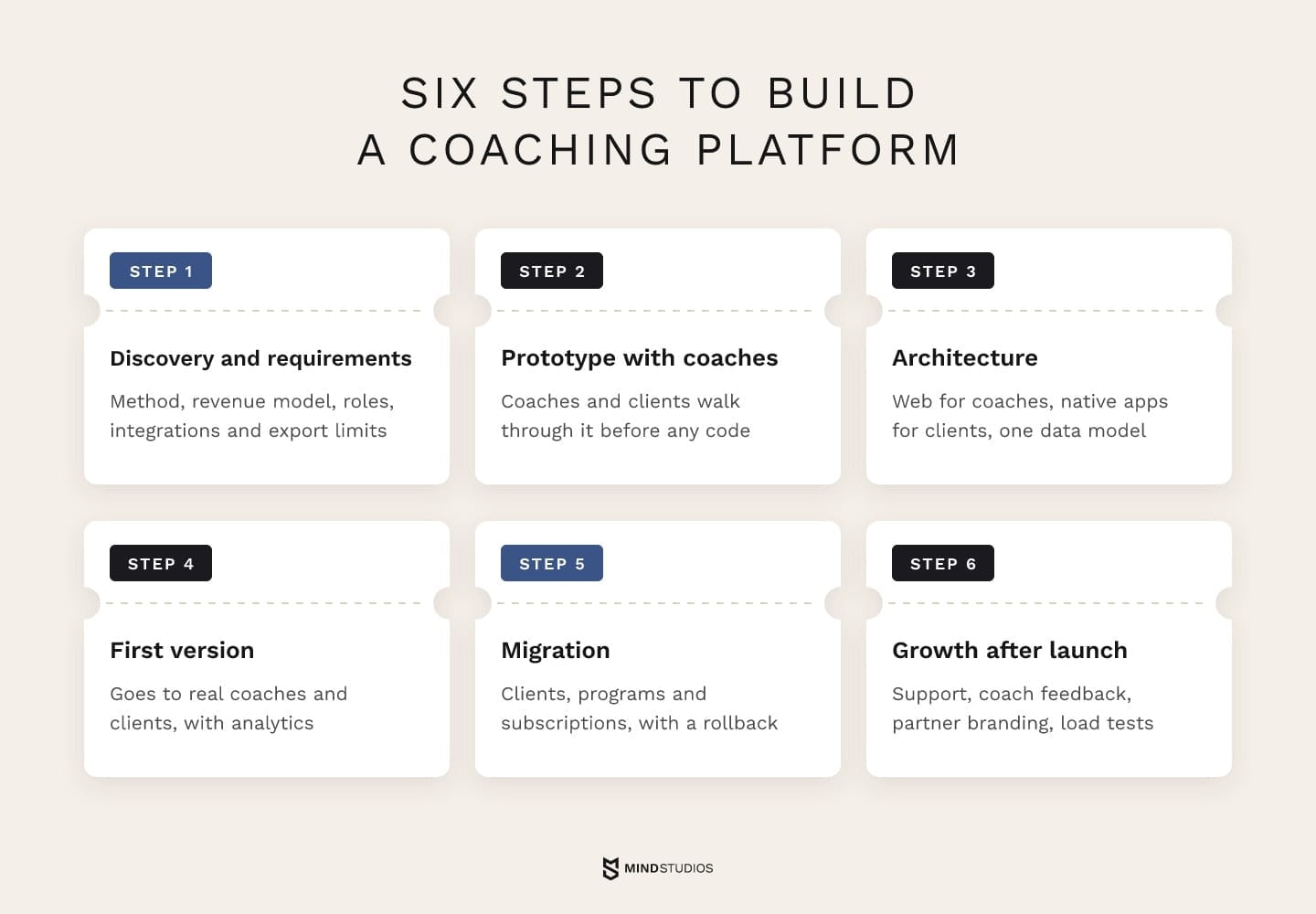
A coaching platform is built in six steps, and the first one shapes the rest. Teams that create a coaching app this way settle export and payment constraints during discovery, so the prototype and the migration plan both start from known limits rather than from assumptions discovered halfway through the build.
-
Discovery and requirements. Business analysis maps your coaching method, revenue model, roles and integrations, and checks what your current platform can export and who processes payments today. The result is a written picture of what it takes to create a personal trainer fitness app that fits your business. This is also where you see how a development partner challenges your brief before you commit to the full build.
-
Prototype and testing with coaches. A clickable prototype at the end of discovery lets coaches and a few clients walk through programming and check-ins before any code exists, so every stakeholder works from the same vision.
-
Architecture. A web app for coaches, native apps for clients and a cloud backend with one data model for programs, logs and payments. The main online coaching app development decisions get locked here: where each type of data lives, how offline sync works and how roles map to permissions.
-
First version for real clients. The first-release scope, including the feature behind the switch, goes to a group of coaches and their clients, with analytics on logging and check-in rates from day one.
-
Migration from your current platform. Clients, programs and subscriptions move over with a parallel period and a rollback path (details below).
-
Growth after launch. Post-launch support, new features from coach feedback and partner branding, plus load tests for peaks such as many coaches publishing programs while client reports go out.
Moving clients, programs and subscriptions off your current platform
Migration decides whether clients notice the switch, and it starts with the export:
-
profiles, contact details and consent records;
-
program templates and the programs assigned to each client;
-
workout history, check-ins and progress photos;
-
subscription status, renewal dates and billing history.
Subscriptions need the most planning, and the route depends on who takes payment today.
Direct payments through a payment provider
If the merchant account is yours, existing subscriptions can keep billing there once the new platform reads them, receives the provider's events and matches each payment to a client account. With Stripe, that means handling subscription webhooks for renewals, failed payments and cancellations, so access in the app follows billing.
If the vendor owns the account, ask the vendor and the provider whether saved payment methods can move; if they can't, clients enter their cards again.
App store subscriptions
App store subscriptions stay with the app listing, and a transfer still needs setup on the new side.
Google Play's transfer rules move users, ratings and subscriptions, while links to integrated services have to be set up again and earlier orders stay in the old account.
With a new listing, clients subscribe again, so time the switch to avoid double charges and tell clients how to cancel in the old app first.
Cutover and rollback
Before cutover, a reconciliation list matches every active client to their access level, next renewal date and the system that will manage their subscription after the switch. Until the list matches, the old platform stays the source of truth.
The rollback plan covers what clients change in the new app during the parallel period, such as logged workouts or plan upgrades. That way the team can reconcile those changes with the old system before switching back.
Mind Studios' approach: We treat active subscriptions as the riskiest data in a coaching migration. Renewals, failed payments and cancellations run in a test environment first, then a small group of clients renews on the new platform before everyone else moves.
Coaching platform development in practice: what FITR taught us
FITR shows how a coaching platform grows from a tool for coaches into a business system. We built a web workspace for coaches, a companion mobile app that gives coaches the same tools on the go, and iOS and Android apps for athletes. Coaches on FITR have earned over £10M and published more than 30,000 personal programs.
The first big decision came out of discovery: customer acquisition cost was much lower for web fitness platforms, so the coach workspace became a web platform.
Our web app comparison covers that trade-off in depth.
On that web workspace, the program builder carries personalization. A coach sets benchmarks for each training day as a percentage of max load, athletes enter their default parameters, and the algorithm calculates each athlete's own targets from them.
Premium subscribers can also apply their own colors and logos across the web and mobile apps, and FITR links 20 key events to Zapier, so coaches automate follow-ups in tools they already use. Messaging, media sharing and payments run inside the platform, so coaches and athletes work in one place.
What drives the cost of a personal trainer app
The budget for coaching platform development depends on four things: how deep the program builder goes, how much video the workouts carry, whether coaches receive payouts and how many sides the product serves. A three-sided platform with auto-adjusting programs and payouts costs far more than a client app with fixed plans.
White label pricing depends on other factors: the number of active clients or coaches, the branding tier and any fee for a branded store app.
Our guide to fitness app development cost breaks down the budget, recurring fees and three years of ownership.
Health data, payments and app store rules to plan for
Three questions belong in discovery for any fitness coaching platform: which health data rules apply, how clients pay inside the app and whose developer account publishes it. The answers shape the data model, checkout and migration plan, so settling them before design costs less than fixing them after release.
The tables below are a starting point for reviewing US and EU health data requirements and app store policies. For a MENA launch, the legal review also covers the national requirements of each target market.
Health data rules
The HIPAA definitions cover health plans, clearinghouses and providers that transmit health information electronically for HIPAA-covered transactions, plus their business associates. A coaching business selling directly to clients usually falls outside them.
The FTC compliance guide says a health app that collects consumer data and can sync with a fitness tracker is probably a vendor of personal health records, unless HIPAA covers it. GDPR Article 9 lists health data as a special category that can't be processed unless an exception, such as explicit consent, applies.
Apple bars using or sharing HealthKit and fitness data for advertising or marketing. Other uses beyond health management or health research need a check against 5.1.3 and user permission.
In the build plan, these rules come down to the following:
| Rule | Applies to | Plan for |
|---|---|---|
| HIPAA | Covered entities and their business associates | Business associate agreements and safeguards for clinic or insurer work |
| FTC Health Breach Notification Rule | Likely: health apps outside HIPAA that can sync with trackers | Breach notification process, data inventory, clear consent for sharing |
| GDPR Article 9 | Health data as a special category | Explicit consent flows, purpose limits, vendor data processing agreements |
| HealthKit (Apple 5.1.3) | Apps that read HealthKit or fitness data | Only needed data types, disclosure, none in ad or marketing tools |
These requirements shape the data model and consent flows, while payment rules shape checkout.
Payment and app store rules
Apple's review guidelines require in-app purchase for subscriptions and premium content unlocked in the app. US storefront apps may also link to other purchase methods; elsewhere, links need a specific Apple entitlement.
Live sessions follow a separate rule: real-time one-to-one services such as fitness training may use other payment methods, while one-to-few and one-to-many real-time services must use in-app purchase.
On Android, the Play payments policy requires Play billing for fitness subscriptions and excludes physical services such as gym memberships. Alternative billing and outside checkout links apply only in eligible regions, after you enroll in Google's programs.
Checkout design follows from these rules:
| Rule | Applies to | Plan for |
|---|---|---|
| App Store 3.1.1 and 3.1.1(a) | Subscriptions and premium content unlocked in the app | Checkout per storefront, program subscriptions priced on in-app purchase terms |
| App Store 3.1.3(d) | Real-time one-to-one and group services | Separate one-to-one sessions from group classes in checkout |
| Google Play payments | Fitness subscriptions; physical services such as gym memberships excluded | Android checkout per region, in-person services on your own checkout |
Mind Studios' recommendation: Settle the store account question first. If your company publishes through its own Apple and Google developer accounts from the first release, changing development partners doesn't require the outgoing partner to transfer the store listing.
Which path fits your coaching business
Go back to the setup from the start: programs in one tool, chats in another, payments in a spreadsheet. If a branded platform pulls those together, white label has done its job. If the four-step test in this guide leaves a gap in the work clients pay for, that gap becomes the brief for a platform your business owns.
Our custom fitness app development services start with discovery that answers this question using your own workflows and data.
If you're weighing a move, the first thing to work out together is what your current platform lets you export and how your active subscriptions would follow.
FAQ
How can I create my own personal training app?
Solo trainers usually start on a white label platform under their own brand, while a business with a team of coaches weighs a custom platform. Either way, prepare these before you talk to a vendor or a development partner:
-
two or three real programs and how coaches adjust them;
-
the client journey from sign-up to renewal;
-
how clients pay and coaches get paid now;
-
the tools the app would connect to.
Can we start on a white label fitness app and move to a custom fitness app later?
Yes, if you plan the exit from the start. Before you sign or renew, secure these terms:
-
a full export of profiles, history and programs in an open format;
-
publishing under your own developer accounts, or written terms for transferring the app to them;
-
your own domain and email sender;
-
payments on your own payment provider account, where possible.
How much does personal trainer app development cost?
A useful estimate starts with the workflow your first release must support, because that sets the scope. Migration, who handles payments and the integrations you depend on then define what a development partner can price. Ask for the estimate split by phase, so you can judge discovery, the first release and migration separately.
Who owns the code and client data in a custom coaching platform?
The contract with your development partner should assign the agreed code and IP rights to your company and define handover obligations if you change partners. It should also cover:
-
the database and backups hosted in your own cloud account;
-
credentials for Stripe, Zapier and similar services registered in your name;
-
documentation and deployment instructions delivered with each release.
Do coaches need native iOS and Android apps, or is a web app enough?
Decide by where each task happens. Coaches build programs on a large screen, so a web workspace usually serves them, and coach subscriptions sold on your website go through your own checkout. Clients log sets mid-workout, so a native app with offline logging and access to HealthKit or Health Connect serves them better.