
 ChatGPT
 Perplexity

After launch, your app needs a budget for the work your roadmap leaves out. This guide covers what application maintenance includes, why apps break without code changes and how to budget and staff it.
Highlights
- Maintenance changes the code. Support keeps the service available and helps users resolve problems.
- Store deadlines and certificate rules force changes even when your roadmap is quiet.
- Estimate support from systems, SLA coverage and planned capacity, plus a reserve.
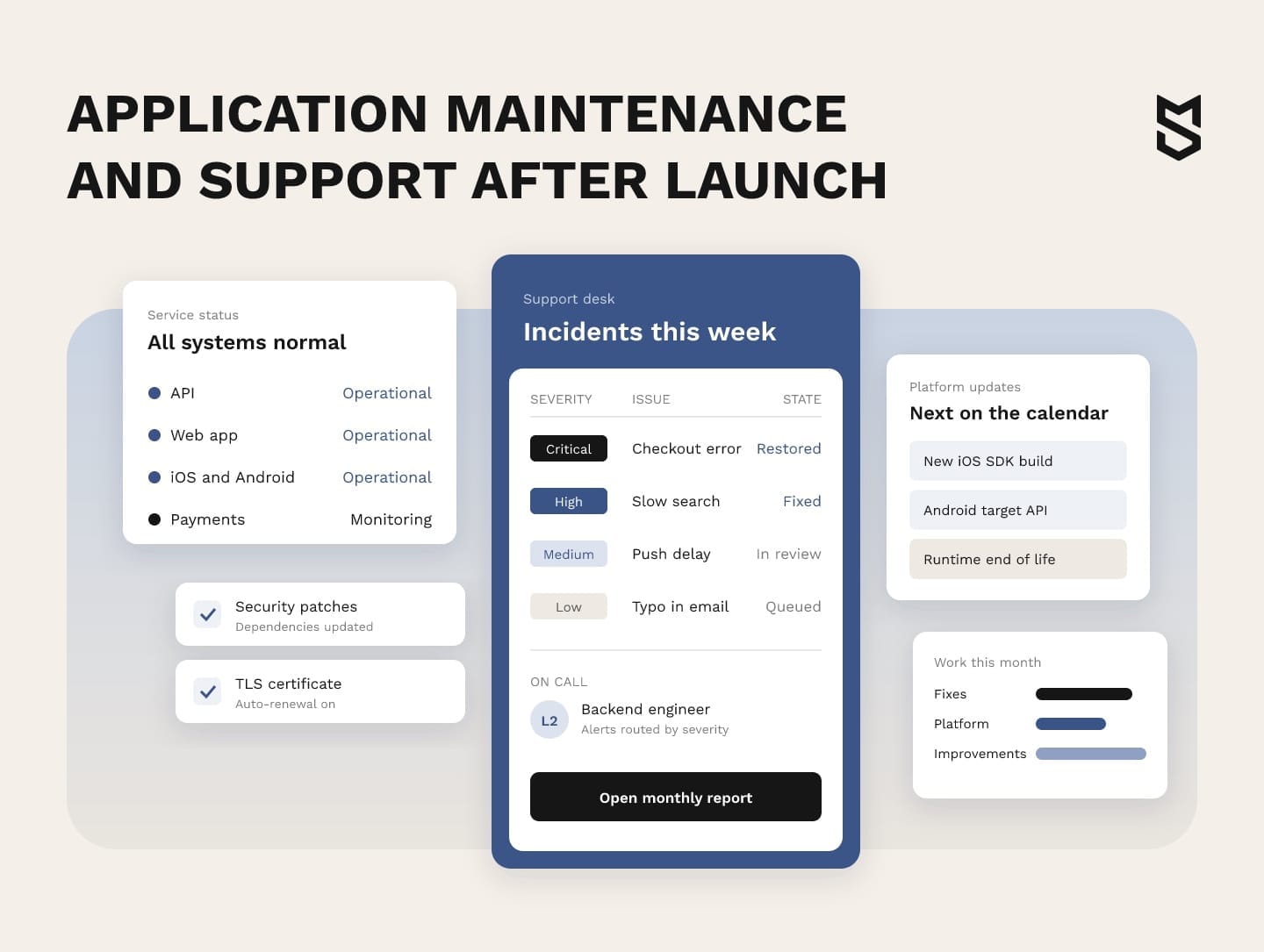
Application maintenance is the work on a live app after release: fixing defects, adapting to new operating systems and services, improving what users already have and preventing failures before they happen. Support is the other half. It keeps the app available and responds when users or monitors raise a problem.
For a growing company, application maintenance and support help protect the product's value as usage and platform requirements change. If your launch budget covered delivery alone, the recurring work now needs its own owner and funding.
We've supported live products for years, from a DJ subscription platform whose storage risk we raised before it could fail to an e-reading platform whose product kept evolving.
If your app is live and nobody owns the post-launch calendar yet, that is the first gap worth closing.
What application maintenance and support cover
Application support and maintenance cover the work that keeps a product usable, secure and useful from release to retirement. In a contract, the work splits into two jobs: maintenance changes code, dependencies and configuration, while support runs incidents, watches the live system and answers users.
Vendors often sell the bundle as AMS (application maintenance and support), so the useful question is where each agreement draws the line between the two. Read the exclusions first, because they decide which changes need separate approval and often explain why two similar quotes differ.
Application maintenance vs application support
The clearest test is what each one does. If users report a login failure at 9 a.m., support confirms it, triages it and restores service, while maintenance takes over if the lasting fix needs a code change.
Splitting software maintenance and support this way also shows which metrics to track and who needs to be on call. The application support & maintenance comparison below shows both.
| Aspect | Maintenance | Support |
|---|---|---|
| Purpose | Change code, dependencies, configuration and infrastructure | Run incidents, restore service and help users, with workarounds or rollbacks where needed |
| Typical work | Bug fixes, OS and SDK updates, refactoring, small improvements | Monitoring, triage, account issues, incident updates |
| Trigger | Defect, platform change, backlog item, risk found in review | Alert, user ticket, outage |
| Measured by | Change fail rate, backlog age, release cadence | Response time, time to restore, availability |
| Support levels | L3 engineers who own the code | L1 (first contact) and L2 (diagnosis), escalating to L3 when restoring service needs engineers |
| Cost of a gap | Debt piles up and future changes get slower | Users wait, churn and leave reviews |
When an incident reaches L3, engineers need the knowledge and access to change the system safely, so the agreement should name that escalation path.
Why applications need maintenance even when the code doesn't change
Apps can break on their own because the environment around them keeps moving: operating systems, browsers, store rules, dependencies, certificates and the load your users create. Teams often underestimate maintenance and support in software development because these changes rarely show up in the build estimate.
Five outside forces drive this unplanned work:
- Platforms. New iOS and Android releases change APIs, permissions and store requirements.
- Dependencies. Libraries and frameworks ship security fixes and drop support for old versions.
- Certificates and keys. They expire on fixed dates, whether or not anyone is watching.
- Data and traffic. A setup that was fine at launch becomes a risk as volume grows.
- Third-party services. Payment, messaging and analytics providers change their APIs, terms and pricing.
Red flag: The CA/Browser Forum ballot cuts the maximum lifetime of public TLS certificates from 398 days to 47 days, in steps from March 2026 to March 2029. A once-a-year manual renewal becomes a recurring task, so automated renewal belongs in the plan.
Growth creates risk the same way. Take the MyMP3Pool DJ platform, a US subscription service and a long-term client of ours.
As the catalog grew, the platform's content and user data came to rest on a single 40TB physical drive at a US hosting provider, without a second copy. When we flagged this as a risk, 38TB of the drive was already in use.
Each new upload brought the drive closer to its limit. For a growing product, this is a reason to reserve capacity for preventive work, one of the four types below, before an incident forces the decision.
The four types of maintenance work and what belongs in your agreement
The international maintenance standard ISO/IEC/IEEE 14764 defines the types of maintenance work, and four of them cover most of what a live app needs: corrective, adaptive, perfective and preventive. In a software application maintenance agreement, these types decide what the monthly fee pays for and what needs its own estimate.
The agreement settles three things: the capacity included each month, the work excluded from it and how extra work gets approved. One workable split puts corrective, adaptive and preventive work inside the included capacity, because all three protect what you already have.
Perfective work competes with the roadmap, so it needs a cap or its own budget line. Larger new features sit outside the retainer as development with their own estimate.
Corrective work follows SLA terms by severity, and emergency fixes, its urgent end, need their own response terms. The table shows how each type usually starts and one way to budget for it.
| Type | Trigger | Budget line |
|---|---|---|
| Corrective | A defect found in production or testing | Included capacity; excess effort uses the reserve |
| Adaptive | A change in the environment | Included capacity, planned by the platform calendar |
| Perfective | User feedback, performance data, product goals | Capped retainer hours or a separate roadmap budget |
| Preventive | A risk found in monitoring or review | Reserved share of included capacity, reviewed quarterly |
Typical tasks for each type look like this:
- Corrective: a checkout failure for one card type after a payment provider update.
- Adaptive: a rebuild with a new SDK to meet a store deadline.
- Perfective: faster search or a clearer onboarding flow.
- Preventive: removal of a single point of failure or an end-of-life framework upgrade.
Mind Studios' insight: On the Rebind e-reading platform, product direction and feature priorities changed often. We answered with an agile workflow, close work with Rebind's leads on new ideas and ongoing QA testing. When a product evolves like this, we recommend splitting the budget into fixes and evolution from day one, each with its own owner.
What a maintenance plan includes
A maintenance plan names the work that happens without anyone asking: monitoring, support levels, SLAs by severity, security patches, dependency updates, backups with tested restores, documentation and a regular report to the product owner. Once it's written down, post-launch work becomes a schedule you can budget for instead of a run of surprises.
Support levels, SLAs and who owns each incident
Ownership comes first, because an SLA means little if nobody knows who picks up the alert. Technical escalation runs from L1 to L3, while one incident lead confirms receipt, coordinates the levels and keeps the product owner updated. In your own plan, each role in the table becomes a named person.
| Event | Who owns it | Channel and confirmation |
|---|---|---|
| Users can't log in or pay | Incident lead coordinates; L1 confirms, L2 diagnoses, L3 fixes | Alert plus phone or chat; status page update |
| Error rate spikes after a release | L3 release owner, with the incident lead reporting status | Monitoring alert; rollback decision logged |
| Store rejects an update | L3 with the product owner | Store notice; ticket with a deadline |
| Bug reported in a minor flow | L1, then the backlog | Help desk ticket; reply with an expected date |
The second table shows what an SLA should fix at each severity level, with the hours left for you and your partner to agree. Response, restoration and final resolution need separate targets, because a workaround can restore access while engineers still investigate the cause.
| Severity | SLA terms | Example event |
|---|---|---|
| Critical | Response and restore targets; fix plan deadline after diagnosis | Outage, payments down, risk of data loss |
| High | Response and restore targets in agreed hours; workarounds allowed | A key feature broken for some users |
| Medium | Response target; fix in a scheduled release | A bug with a known workaround |
| Low | Date for backlog triage | Cosmetic issue, minor request |
For critical incidents, the SLA also sets the update cadence, who approves a hotfix and coverage hours set by the cost of downtime. For high severity, the final fix date is agreed after diagnosis.
Automation in application maintenance: monitoring, CI/CD and AI triage
Automation takes over the jobs machines do faster and more consistently than people: watching, testing and routing. Good candidates are tasks that repeat often and produce results the team can check:
- APM and error monitoring catch many slow endpoints and crashes before users report them and route alerts to named owners.
- CI/CD with regression tests runs every change through the same checks, so covered regressions are caught before deployment.
- Dependency and certificate scanners open tickets before versions reach end of life or certificates expire.
- AI triage sorts incoming tickets and drafts first replies, while an engineer still sets severity for anything touching data or payments.
People keep the decisions that carry business risk: whether to roll back, what to tell affected customers and whether a patch is enough or a deeper fix is needed.
What to check before you sign the plan
Before you sign, check that the plan covers these points:
- Monitoring and incidents:
- Monitoring, with alerts mapped to named owners
- Severity levels with SLA terms for response, restore and final fix
- A status page and message templates for users
- Scheduled upkeep:
- A calendar of store, OS, certificate and framework deadlines
- A monthly window for patches and dependency updates
- Backups, with restore tests on a schedule
- Ownership and reporting:
- A list of third-party services the app depends on, with an owner for each
- Code, cloud accounts, store accounts and documentation held by the product owner
- A monthly report covering incidents, changes shipped and risks found
Preventive support in practice: MyMP3Pool
Our team raised the single-drive storage risk before any failure and gave the client a report with infrastructure options. The platform moved to AWS with no downtime during cutover, and active development picked up again on the new setup.
Along the way, the team spotted bots downloading 100–500 tracks a minute and blocked that traffic at the edge with CloudFront.
We take on this kind of post-launch work when we build and scale software with clients.
Mobile and web application maintenance: what changes by platform
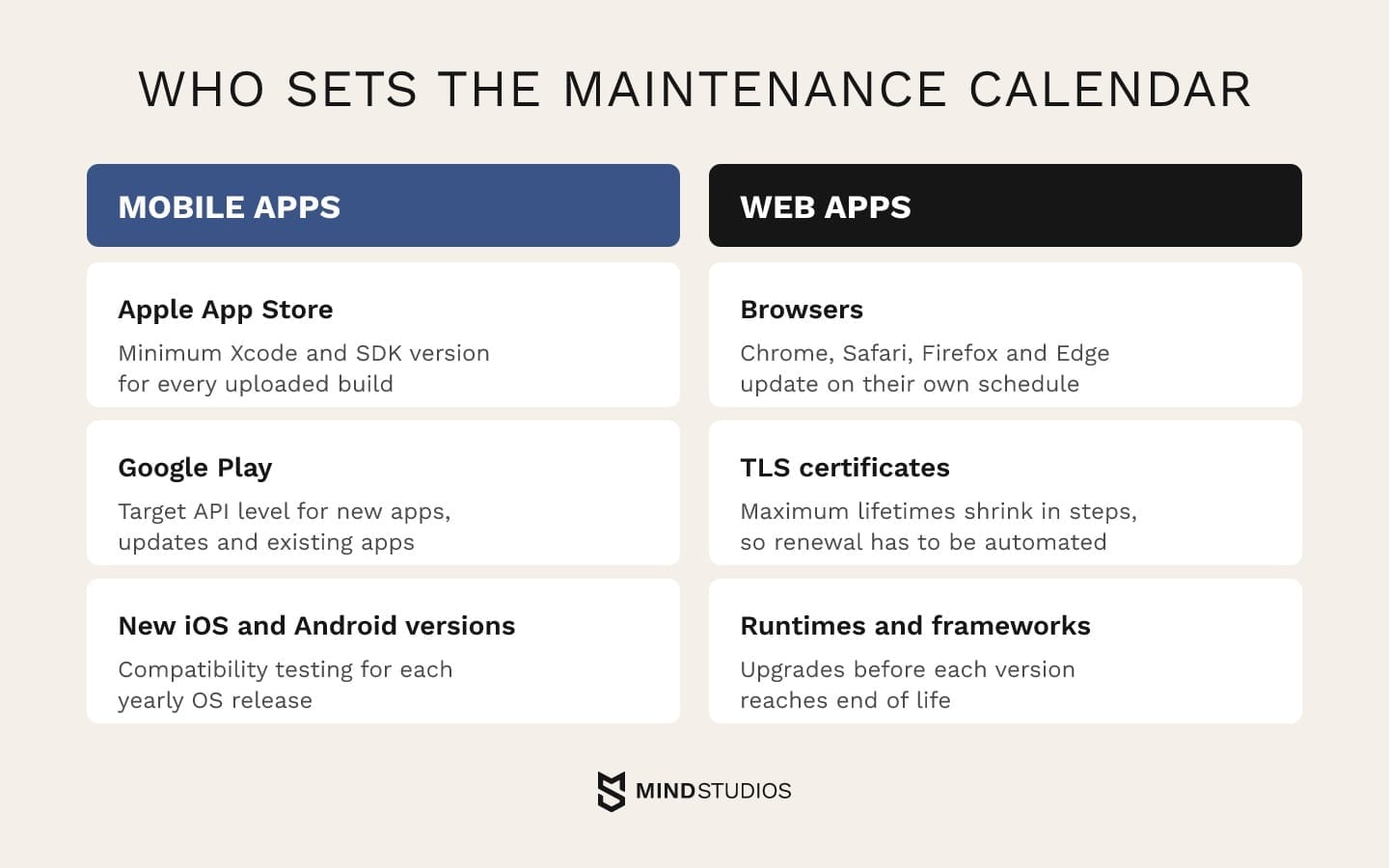
Apple and Google set the calendar for mobile apps. For web apps, browsers, certificate rules and framework support windows set it. Neither calendar follows your roadmap, so mobile application maintenance and web upkeep both start with mapping these dates a year ahead.
Mobile app maintenance: OS releases, SDK deadlines and store rules
Mobile app maintenance runs on store requirements. New iOS and Android versions arrive and the stores raise their minimum build rules.
The current rules come from Apple's upcoming requirements and Google's target API page. Google's rows below cover publicly distributed phone and tablet apps. Wear OS, Automotive, TV and XR apps have lower targets, and permanently private apps for internal distribution are exempt.
| Store | Requirement | In effect since | Consequence |
|---|---|---|---|
| Apple App Store | Built with Xcode 26 or later and the iOS 26 SDK (or matching platform SDK) | April 28, 2026 | The build can't be uploaded, so no update ships |
| Google Play: new apps and updates | Target Android 16 (API level 36) or higher | August 31, 2026 | The app or update can't be submitted |
| Google Play: existing apps | Target Android 15 (API level 35) or higher | August 31, 2026 | New users on newer Android versions can't get the app |
Both pages change with each OS cycle, so the plan gets rechecked against them before every release.
Knowing how to maintain an app on this calendar comes down to working backward from each cutoff, leaving time for compatibility testing, SDK updates and store review. Good mobile app maintenance and support also tracks third-party SDKs (payments, analytics, push), because each has to support the new target before your app can.
Web application maintenance: browsers, certificates and frameworks
Web application maintenance has no store acting as gatekeeper, which makes its deadlines easier to miss. Browsers update on their own schedule, certificate lifetimes keep shrinking and runtimes reach end of life. The Node.js release page lists Node.js 20 as end-of-life and says production applications should only use Active LTS or Maintenance LTS releases.
Past that point the project no longer covers the version, so runtime and framework upgrades belong in the preventive budget. Schedule them before the support window closes, together with regular testing on current Chrome, Safari, Firefox and Edge.
How much does it cost to maintain an app
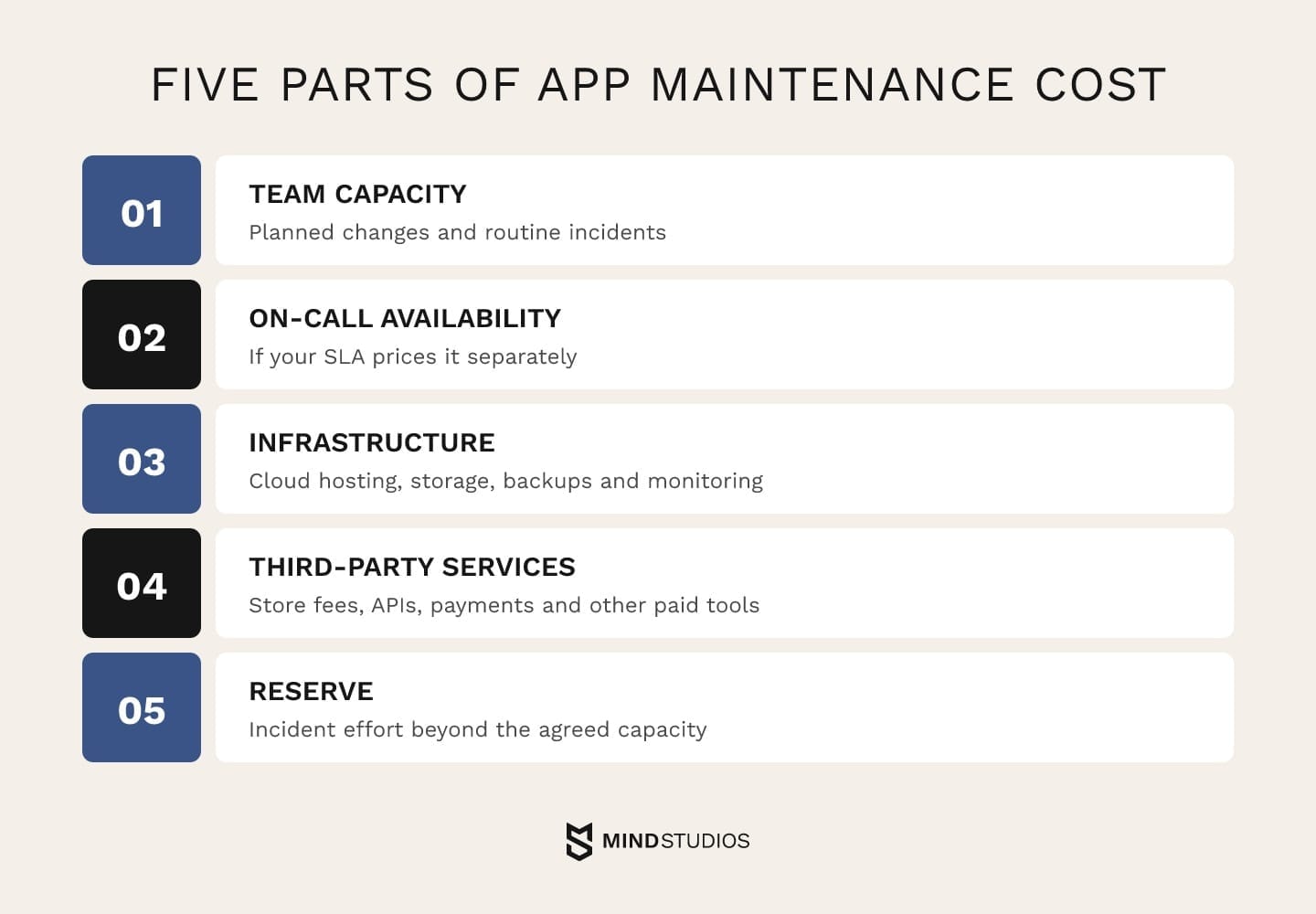
App maintenance cost is the sum of five parts: team capacity for planned changes and routine incidents, on-call availability if your SLA prices it separately, infrastructure, third-party services and a reserve for incident effort beyond the agreed capacity.
Our app cost guide covers the full cost of building and owning an app.
You'll often see a software maintenance cost percentage quoted as a share of the original build. We don't estimate that way, because a percentage ties your support budget to what the first version cost, while the real drivers are how many systems you run, how fast your platforms change and what downtime costs you.
The same goes for any average software maintenance cost figure: two apps with the same build budget can need very different support if one has 2 integrations and the other has 12. Your annual software maintenance cost estimate is easier to defend when each budget line maps to a known obligation or agreed capacity.
These factors move the cost of app maintenance:
- Number of platforms and integrations. Each platform, API and third-party service adds its own update cycle and failure point.
- SLA coverage hours. Round-the-clock response needs an on-call rotation; business-hours coverage needs fewer people.
- Volume of planned changes. More releases mean more regression testing and review time.
- Code health and test coverage. Weak test coverage makes changes slower and riskier.
- Data volume and traffic. Growth raises cloud spend and the stakes of backup and recovery.
- Security and compliance requirements. Access reviews, audits and patch deadlines add fixed recurring work.
- Documentation. Missing docs turn routine incidents into investigations.
Software maintenance cost estimation
A defensible estimate starts from what you run. List every system and third-party service with an owner, then add the year's mandatory changes, the SLA coverage and planned capacity for preventive and perfective work. The form below turns that list into one row per recurring item, so replace the examples with your own systems.
| Work item | Yearly frequency | Responsible role |
|---|---|---|
| iOS and Android SDK updates | Once per store deadline | Mobile engineer and QA |
| Dependency and security patches | 12 monthly windows | Backend engineer |
| Certificate and domain renewals | Automated, with 12 monthly checks | DevOps |
| Routine incidents | Expected count, from incident history | L2 and L3 |
| Perfective improvements | Four quarterly allowances | Product engineer and designer |
Fill in hours per cycle for each role: an average per incident for routine incidents and agreed hours per quarter for perfective work. On-call availability is calculated separately: coverage hours set in the SLA, kept out of the labor sum.
To turn the form into a budget, multiply each row's yearly frequency by its hours per cycle and sum the hours by role. The first four rows form the retainer, while perfective improvements take capped hours or a separate estimate with its own approval.
The engagement model then converts hours to money: hourly billing under time & materials, a monthly fee under a dedicated team or a fixed sum for a defined set of upgrades.
Three money lines sit on top of the labor total: the availability fee if on-call is priced separately, vendor invoices for cloud, monitoring and store accounts, and a reserve for incident effort beyond included capacity. If the reserve keeps running out, those incidents have become planned work and belong in included capacity.
Mind Studios' recommendation: Start the estimate with a review of the live product: code health, test coverage, dependency age and incident history. Without that review, the reserve is a guess and ends up too thin or too large.
Mobile app maintenance costs
Mobile adds its own line items. Two native apps mean two release cycles, two sets of store reviews and testing across real devices and OS versions.
Store fees are the predictable part. The Apple Developer Program costs $99 per membership year, while Google Play's one-time registration fee of $25 applies only when you open a new developer account.
The budget also needs the services your app actually uses, such as hosting, crash reporting and push messaging. Their charges follow each provider's billing model and your expected usage.
If you need a maintenance estimate you can defend to your board, start with a review of what your current product will require over the next year.
Who should maintain your application: ownership and engagement model
There are two decisions here: who owns the product after launch, and how the work is contracted. The right owner depends on how critical the product is to revenue and how well each candidate team knows the code. The table compares the three usual options.
| Who maintains it | When it fits | Main risk |
|---|---|---|
| Your in-house team | The product is core to the business and you can staff L3 engineers and on-call | Hiring and keeping senior people for steady upkeep work |
| The team that built it | Knowledge of the code is fresh and the roadmap keeps moving | Dependence on one partner, reduced by owning docs and access |
| A new partner taking over the code | The original team has left or no longer fits your needs | Ramp-up time and knowledge gaps until documentation is rebuilt |
When one team handles application development and maintenance, the people who wrote the code also fix it, which shortens diagnosis. The trade-off is dependence on that team, and the contract manages it by keeping code, accounts and documentation in your name. The same applies to IT application maintenance for internal tools.
The contract form is a separate choice. Three models are common:
- Fixed-price: an agreed sum for a defined scope, such as a set of planned upgrades. It fits predictable work.
- Time & materials: you pay for actual effort. It fits shifting priorities and work driven by incidents.
- Dedicated team: a stable team that knows your product and works inside your process. It fits products with a continuous roadmap.
Our engagement models comparison explains how each model handles changes in scope.
Mind Studios is ISO 27001 certified. That matters because support means access to production systems and user data, so the agreement should say who holds which credentials and how access is revoked. Long partnerships make this more important: 70% of clients stay with us for three years or longer.
Anton Baryshevskyi, Head of Business Development and Co-Founder at Mind Studios, describes the check he recommends before a support agreement is signed:
Before a support agreement is signed, we walk the founder through one critical incident: the app goes down at night. Who gets the alert, who approves a rollback, and does that person have access to the cloud console and the store account? If any answer is unclear, we settle it in the agreement first. Coverage hours are easier to agree once that's clear.
When maintenance turns into modernization
Maintenance turns into modernization when patching the system costs more than changing it. Support data shows the shift early, so the monthly report is the first place to look for it.
The pairs below compare a healthy maintenance pattern with one that costs more every month.
| Keep maintaining | Time to modernize |
|---|---|
| Changes ship at a steady pace | Each change takes longer and breaks something else |
| SLA targets are met in most months | Missed SLA targets become routine |
| Planned work outnumbers incidents | Incidents crowd out the roadmap |
Those metrics can miss two underlying risks: the people who understood the code have left, or upgrading one dependency breaks several others and the stack freezes. When software support and maintenance hours keep growing while the product barely changes, the budget is paying to stand still.
Technical debt in a live product can often be paid down piece by piece inside the preventive budget. When that stops working, the question becomes whether to rebuild or refactor, and our guide to legacy modernization strategies walks through that decision.
How to measure support quality after launch
Support works when users can reach the product, problems are found and fixed quickly, and risk doesn't pile up. A monthly software maintenance and support report tracks all three with the measures below.
The DORA metrics guide defines change fail rate and failed deployment recovery time, which help assess release stability. The other rows are working definitions we adapt to each client, and the last column shows the decision each measure should trigger when it gets worse.
| Metric | What it shows | Action if worse |
|---|---|---|
| Availability | Share of time the service was usable from the user's side, against the SLO target | Review incident causes, then fund preventive work or renegotiate the target |
| MTTD | Mean time from the start of an incident to the first alert | Add monitoring to the flows users reported before the alerts fired |
| MTTR | Mean time from detection to service restored, for all incidents | Check runbooks, on-call access and how many people know each system |
| Failed deployment recovery time (DORA) | Time to recover from a deployment that fails and requires immediate intervention | Fix the rollback path and the release process |
| Change fail rate (DORA) | Ratio of deployments that require immediate intervention, such as a rollback or hotfix | Ship smaller releases and raise test coverage on the failing areas |
| Incident frequency by severity | Critical and high incidents per month | Shift capacity from perfective to preventive work |
| Vulnerability backlog age | How long known security issues stay open after a fix exists | Widen the patch window or raise patch priority |
Quarterly trends show gradual decline, while a critical incident still needs an immediate review.
Keeping your product healthy after launch
If ownership remains unclear after launch, the first step is to assign responsibility for incidents and scheduled upkeep. From there, three things can be written down this month: named owners and an incident lead, a calendar of store, certificate and runtime dates, and a budget built from the obligations on that calendar.
With those in place, maintenance becomes far more predictable and the roadmap keeps its share of the team.
If you're deciding who should own your app after launch, a review of your current support setup shows which gap to close first.
FAQ
How much does app maintenance typically cost per month?
It depends on what the agreement covers. A monthly payment can combine:
- a retainer for SLA coverage, priced by coverage hours and response targets;
- planned hours for routine incidents, adaptive, preventive and capped perfective work;
- infrastructure and third-party services, billed by usage;
- incident effort beyond the included capacity, drawn from a reserve or billed separately.
What is software maintenance?
Software maintenance is the work of changing software after delivery to fix defects, adapt it to a new environment or improve it. ISO/IEC/IEEE 14764 describes the process. Application maintenance is broader in practice, because it also covers the infrastructure, store accounts, certificates and third-party services a live app depends on.
What is application support for a product without a 24/7 team?
Application support keeps the running product available and helps its users, from monitoring to incident response. Without your own round-the-clock team, you can still cover the gaps:
- set coverage hours in the SLA by severity, with only critical issues covered overnight;
- use a partner's on-call rotation for L2 and L3;
- route automated alerts to whoever is on call;
- keep a status page so users can follow progress without opening tickets.
What is application development and maintenance?
Application development and maintenance (ADM) means one partner builds new functionality and maintains the live product. It works when incident capacity for urgent fixes stays separate from roadmap capacity for features, and a monthly report of hours in each bucket keeps the trade-off visible.
Can software maintenance cost be capitalized?
For internal-use software under US GAAP (ASC 350-40), maintenance costs are generally expensed as incurred, while upgrades and enhancements can be capitalized only if they will probably add functionality the software didn't have before. That holds under both the current and the amended text in ASU 2025-06, effective for annual periods beginning after December 15, 2027.
Under IFRS, IAS 38 governs intangible assets. Your accountant confirms how the rules apply, and tagging tickets as fixes or new functionality gives them the data.
How long does application maintenance last?
The question has two meanings:
- A planned maintenance window lasts as long as the work in it plus the time to verify that service is restored. Your SLA sets when windows can happen and how far ahead users hear about them.
- Ongoing maintenance lasts as long as the product is live, until it's retired or replaced by a rebuild.
Should the team that built the app also maintain it?
Often yes, as long as the knowledge stays transferable. Whoever maintains the product, these should move with it when the team changes:
- documentation of the architecture and integrations;
- access to code, cloud, store and third-party accounts;
- runbooks for common incidents;
- the history of incidents and changes.
When you're choosing someone for the long run, our list of long-term support partners shows what to look for.