
 ChatGPT
 Perplexity

The web application landscape is splitting into two categories: those built for AI agent interactions and those that aren't. Companies prepared for AI-native browser development workflows will capture market share while others scramble to catch up.
Highlights:
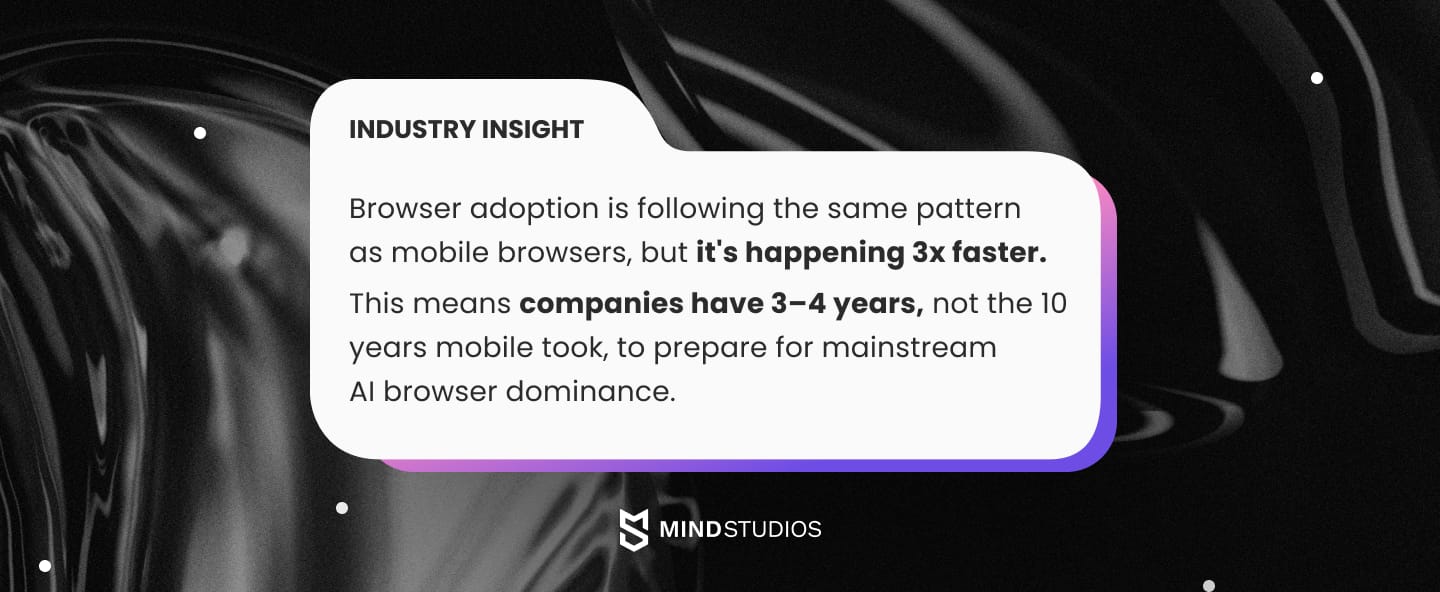
- The AI browser market is projected to reach $76.8 billion by 2034, growing at a 32.8% CAGR from $4.5 billion in 2024.
- Chrome's 65% market dominance faces its first serious challenge since Firefox, as AI-native browsers gain traction.
- 83% of companies are adopting API-first strategies, but most lack the agent-specific architecture needed for AI browsers.
When you hear about AI-native browsers like Atlas and Comet, don't think of them as just another browser update. They're fundamentally changing how people interact with web applications, moving from the familiar world of clicking and scrolling to having AI agents handle tasks through conversation.
Your app architecture is about to become either your biggest competitive advantage or your biggest headache. Apps designed for AI agent access will integrate seamlessly with these browsers. Those built only for human interaction? They're facing costly rebuilds or user loss.
This shift touches everything: the technical foundation (APIs, data structure, permissions) and the business reality (customer acquisition, competitive positioning, revenue streams). The companies that move now will compound their advantages as AI browser adoption accelerates.
Mind Studios helps companies build web applications ready for both human users and AI agents from day one. We can help you build AI-browser-ready applications from scratch or adapt your existing ones for the AI-native era.
Contact our team to prepare for AI-native browsing while maintaining development velocity.
This guide breaks down what your application actually needs to work with AI browsers, covering both the technical requirements and strategic decisions you'll face. You'll get actionable frameworks for AI web app development, whether you're building something new from scratch or adapting what you already have.
How ChatGPT evolved from extension to ecosystem
When you trace how ChatGPT evolved from a simple chat tool into Atlas's full browsing platform, you'll understand why most web applications aren't ready for AI browsers.
This progression reveals the specific architectural requirements that separate apps that work seamlessly with AI agents from those that don't.
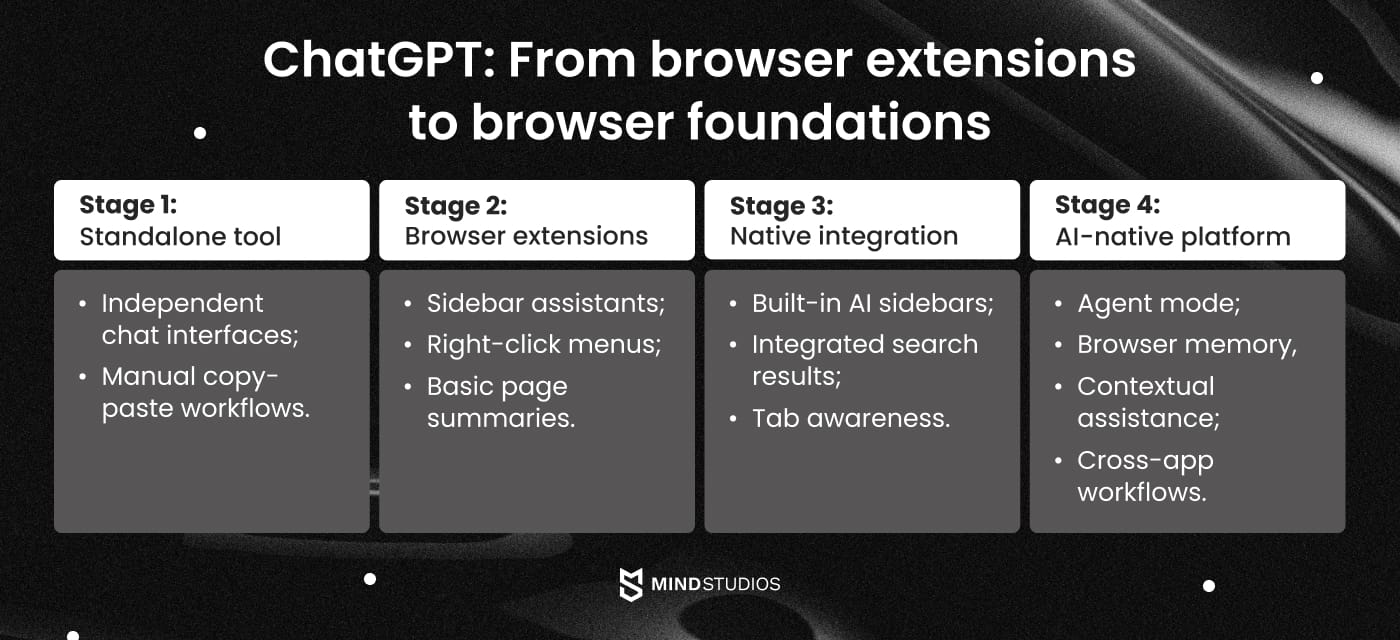
At each stage, we discovered new gaps in how applications work with AI. Early on, it was about basic things: letting AI access your functions programmatically and structuring data so AI could parse it. Later stages revealed bigger challenges: AI agents need applications that can maintain context and handle complex workflows autonomously.
The disconnect is clear: your current application was probably built for humans who navigate visually and interact manually. AI agents skip all that visual stuff and go straight to your application's code, data, and permission systems. If those aren't designed for autonomous operation, the AI gets stuck.
As CEO of Mind Studios, Dmytro Dobrytskyi, observes:
We've seen this same pattern play out across different technology waves. Right now, the companies getting their applications ready for AI agents are setting themselves up for major competitive advantages as AI browser development picks up speed. Here's what we've learned: if you adapt an existing system later, you're looking at costs that are often 3 to 5 times higher than just building with AI agents in mind from the start.
ChatGPT's 800 million weekly users can now access Atlas, which means this shift just went from theoretical to immediate business reality. Applications designed for human clicking patterns are suddenly competing against applications built for AI agent workflows… and losing.
Our strategic consulting helps businesses get ahead of this evolution. We implement the architectural thinking required for AI-native compatibility from the ground up, so you don't end up playing catch-up.
Why AI browser preparation can't wait
Smart companies are preparing their applications for AI browser compatibility before their competitors catch on. This proactive approach captures market opportunities and avoids the expensive retrofitting costs that come with reactive implementation.
Here's what early preparation gets you:
- AI browsers recommend your application more often when users ask for solutions;
- Users get a smooth experience whether they're clicking through your app or using AI agents;
- Your application simply works better with AI than competitors who haven't prepared;
- Much lower costs compared to rushed implementations when competitive pressure hits.
The downsides of waiting are becoming clear. When your application can't integrate with AI agents, users simply move to competitors that can. Companies are losing nearly half their potential customers to better AI-integrated alternatives during evaluation.
Decoding AI-native browsers: What makes Atlas different
The distinction between AI-enhanced and AI-native browsers determines your development priorities and competitive positioning. This difference reveals exactly which architectural changes your application needs to succeed in the AI browser era.
- AI-enhanced browsers like Edge with Copilot or Chrome with extensions treat AI as a sidebar feature. Humans initiate AI interactions, browsing patterns remain unchanged, and AI assists but doesn't navigate independently. These browsers add AI functionality without fundamentally changing the user experience.
- AI-native browsers like Atlas and Perplexity's Comet put AI as the primary interface layer. Agents proactively interact with applications, create fundamentally different user patterns, and AI navigates, executes, and synthesizes across sites.
How Atlas capabilities expose application gaps
Atlas represents the full realization of AI-native browsing through four breakthrough capabilities that expose critical gaps in most current web applications:
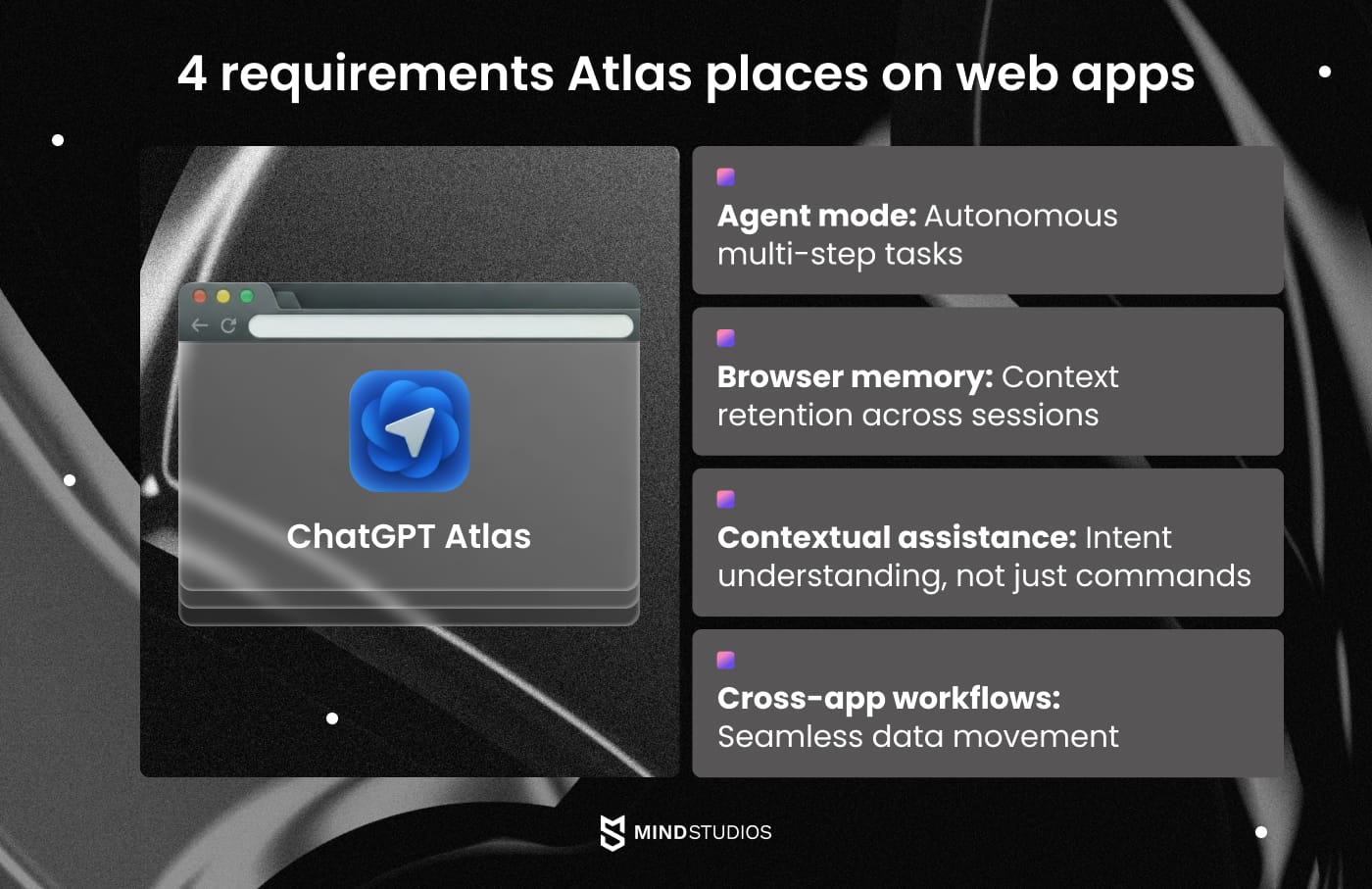
Each capability demands specific architectural support from your application:
- Agent mode requires APIs that allow programmatic task execution without human oversight.
- Browser memory needs structured data that AI can parse, store, and recall across sessions.
- Contextual assistance depends on applications providing clear intent signals and action possibilities.
- Cross-app workflows require permission systems that enable autonomous data movement between platforms.
Mind Studios’ insight: Most companies focus on Atlas's agent mode, but browser memory and cross-app workflows are what truly break existing applications. We've found that applications succeeding with AI browsers are those that treat context and workflow continuity as first-class architectural concerns.
Atlas integration vs. Comet compatibility requirements
Comparing Atlas with Perplexity's Comet approach reveals different but equally demanding requirements.
| Criteria | Atlas (OpenAI) | Perplexity's Comet |
|---|---|---|
| Primary focus | Task automation and execution | Research and information synthesis |
| User interaction model | "Let me do that for you" workflows | "Help me understand this" analysis |
| Data requirements | Action-oriented APIs, workflow data | Content-rich data, source attribution |
| Permission systems | Extensive action permissions | Read-focused with citation access |
| Context management | Multi-session task continuity | Research session memory and sources |
| Integration effort | High (requires workflow redesign) | Medium (requires data structure optimization) |
| API complexity | High (full CRUD operations needed) | Medium (primarily read operations) |
| Performance priority | Speed of task execution | Accuracy of information retrieval |
Both approaches require applications that support programmatic access and provide clear action possibilities, but Atlas demands deeper workflow integration.
These differences directly impact your technical roadmap. Applications that structure data for AI comprehension rather than just visual presentation will seamlessly integrate with both Atlas and future AI-native browsers. Those built solely for human interaction patterns face expensive retrofitting as AI browser adoption accelerates.
Architecture essentials for agent-ready applications
Preparing your application for AI browser compatibility requires addressing three fundamental technical areas.
Based on our experience adapting applications for AI interactions, these requirements determine whether agents can effectively interact with your platform.
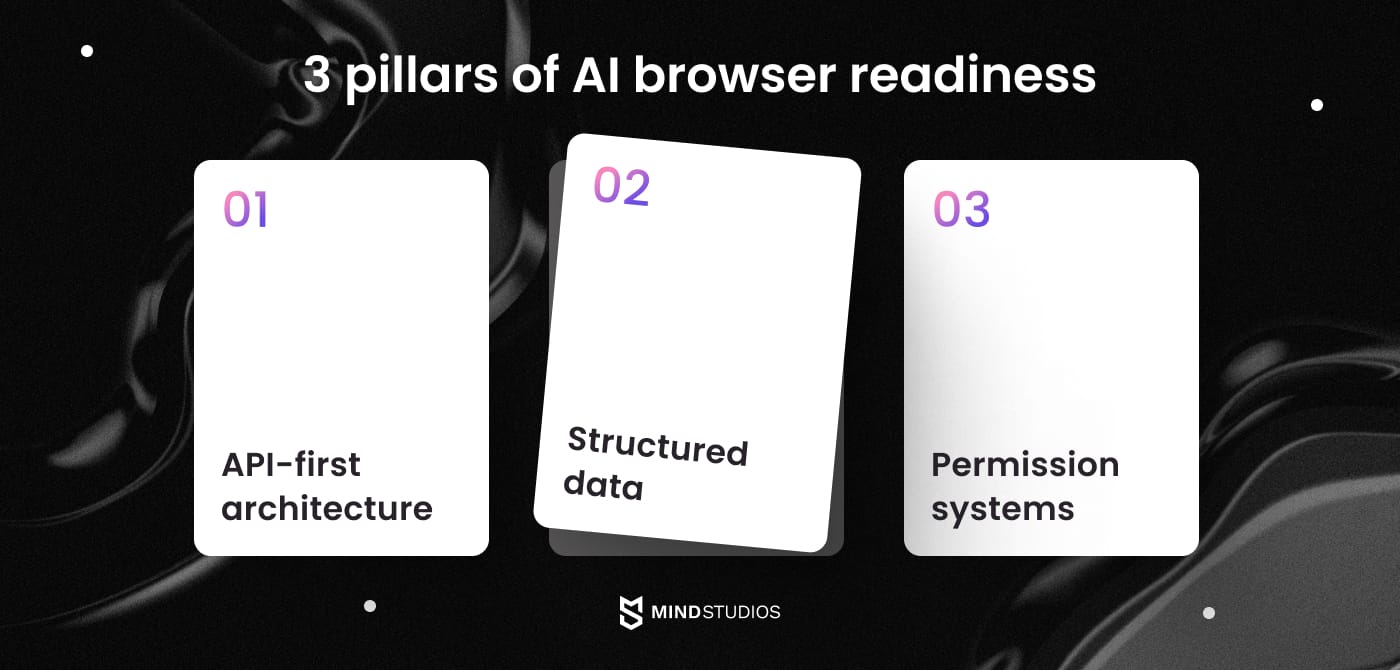
#1. API-first architecture for agent interactions
AI agents interact with applications differently from humans. They need machine-readable interfaces, not just visual ones.
Requirements include:
- RESTful or GraphQL APIs that support programmatic access for all user functions;
- Authentication systems that accommodate agent-based sessions and delegation;
- Response formats optimized for AI parsing with structured JSON and clear schemas;
- Rate limiting that distinguishes human versus agent usage patterns.
Mind Studios’ insight: Applications built UI-first need API layer retrofitting, legacy authentication systems may require agent-specific adaptations, and existing rate limits designed for humans might throttle legitimate agent use.
#2. Structured data that AI can understand
AI agents parse content semantically. Visual design cues that help humans don't help agents understand your application.
Requirements include:
- Semantic HTML with proper ARIA labels and structured data markup;
- Schema.org implementation for content classification and meaning;
- Clear data relationships and hierarchies accessible programmatically;
- Meaningful metadata that explains context, not just displays it.
#3. Permission systems for AI access
Users need confidence that agents can act on their behalf safely, while businesses need protection from liability risks.
Requirements include:
- Granular permission controls for agent-initiated actions and scope limitation;
- Clear consent flows for AI accessing user data with explicit boundaries;
- Audit trails for agent-performed operations with rollback capabilities;
- Human-in-the-loop requirements for sensitive operations.
Mind Studios' recommendation: Start with API-first development even if you're not immediately targeting AI browsers. The flexibility pays dividends when you need to support both human and agent interactions.
Need help building AI-browser ready applications or adapting your existing platform? Our development team specializes in both new AI-native development and seamless existing application adaptation. Contact us for a free consultation.
Designing user experiences for conversational interfaces
Preparing your application for AI browsers means designing for two different interaction paradigms simultaneously: traditional human clicking and conversational agent workflows.
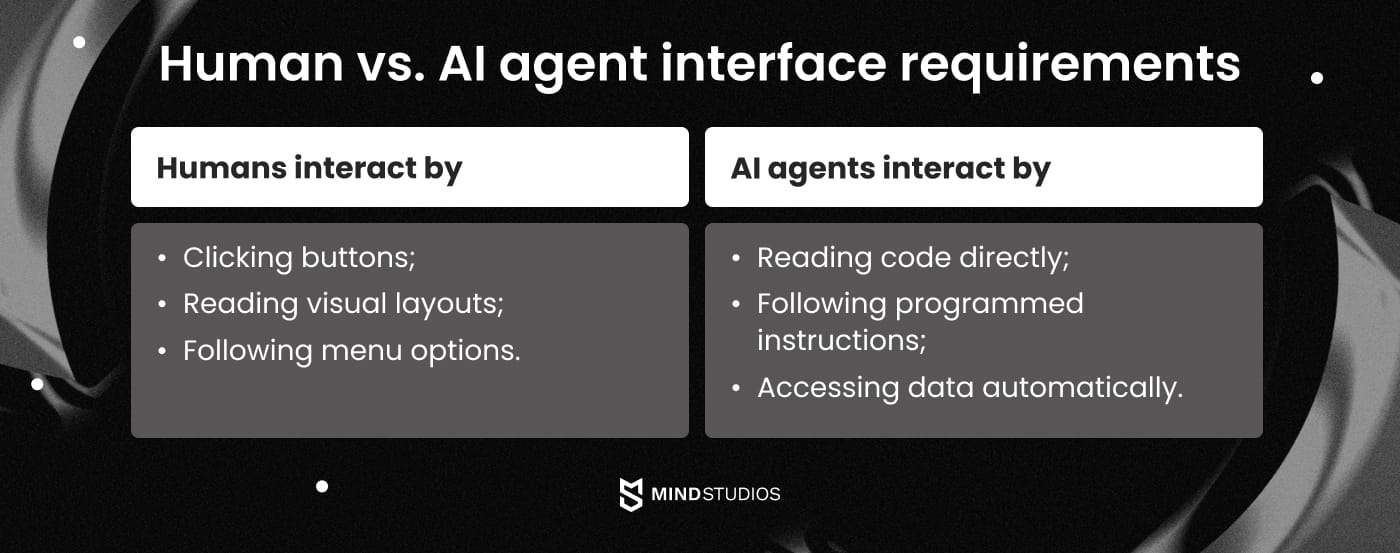
- Agent-friendly workflows require multi-step processes that AI can navigate autonomously, clear action possibilities with explicit permissions, progressive disclosure that works for both humans and agents, and error states that provide actionable guidance to AI systems.
- Smart context sharing involves determining what information should automatically flow between sessions, implementing privacy-respecting context management, giving users control over AI memory and data access, and providing context that improves agent effectiveness without creating privacy concerns.
- Conversational interface patterns mean moving beyond form-filling to intent-based interactions, implementing natural language command structures, creating confirmation patterns for high-stakes actions, and developing feedback mechanisms that work in conversational flows.
- Balancing human and agent experiences requires avoiding breaking existing UI for human users while optimizing for agents, implementing progressive enhancement strategies, ensuring graceful degradation for non-AI browsers, and testing across interaction modalities.
The challenge lies in creating interfaces that feel natural for both interaction types. Humans rely on visual cues, contextual menus, and familiar UI patterns. AI agents need structured data, clear action definitions, and programmatic access points.
Mind Studios' recommendation: Start by mapping your core user workflows to conversational equivalents. For each major user action, define what data an AI agent would need, what permissions are required, and how to provide clear confirmation feedback. This exercise reveals gaps in your current architecture before they become expensive problems.
Mind Studios’ development roadmap
We provide structured approaches to AI browser readiness for both new builds and existing application adaptations. Our methodology ensures smooth transitions while maintaining existing functionality.
We implement a phased development approach. Each stage delivers working functionality and measurable improvements in AI compatibility. This incremental methodology allows you to validate technical decisions early, maintain business continuity, and adjust scope based on market feedback rather than committing to complete rebuilds.
New AI-native development timeline |
Application adaptation timeline |
|---|---|
Stage 1: Discovery & requirements (2–3 weeks)
|
Stage 1: Technical assessment (2–3 weeks)
|
Stage 2: AI-native architecture build (6–10 weeks)
|
Stage 2: Architecture adaptation (4–8 weeks)
|
Stage 3: AI-specific features (4–6 weeks)
|
Stage 3: Interface optimization (3–6 weeks)
|
Stage 4: Testing & Optimization (3–4 weeks)
|
Stage 4: Testing & refinement (2–4 weeks)
|
| - | Stage 5: Monitoring & iteration (Ongoing)
|
Investment considerations
New AI-native development typically ranges from $100K to $250K over 4 to 8 months, while existing application adaptation costs between $80K and $200K over 3 to 6 months.
These investments vary based on:
- Application complexity;
- Custom AI features;
- Security requirements;
- Current API maturity;
- Legacy system constraints that influence development scope.
Based on our experience, companies typically see initial returns within 6 to 12 months through improved user engagement and competitive differentiation. Early movers gain compound advantages as AI browser adoption accelerates, with cost savings of 3 to 5 times compared to reactive retrofitting under competitive pressure.
Ongoing optimization requires 15 to 20% annual investment for maintenance and feature enhancement, allowing applications to evolve with emerging AI browser capabilities and maintain competitive positioning as the technology landscape advances.
Our phased approach allows staged investment commitment, reducing financial risk while ensuring continuous progress and enabling scope adjustments based on business priorities.
Wrapping up
AI-native browsers like Atlas represent a fundamental shift that will determine who wins and loses in the coming years. Your architectural decisions now impact whether this transition becomes a competitive advantage or forces expensive retrofitting.
Success requires more than implementing APIs and structured data. Your application must support autonomous agent workflows while maintaining an excellent human user experience. Early movers gain compound benefits through seamless integration and preferential agent recommendations.
Mind Studios excels at understanding AI-native requirements and implementing them effectively. While others are still figuring out what AI-native means, we're already building it.
Our expertise covers both custom AI-native browser development and seamless existing platform adaptation, with a proven methodology that enhances rather than replaces human user experience.
Ready to get started? Schedule a consultation to explore how we can build your new AI-native application or adapt your existing platform for the AI browser era.